


Everything you need to know about Migration from Magento to Shopify
How do you migrate from Magento to Shopify? Back up your Magento data, set up your Shopify store and plan, import products, customers and orders, rebuild design, payments and shipping, test with real orders, then point your domain to Shopify with 301 redirects from every old URL so your search rankings carry over. This guide walks through each step.
While running an E-commerce business, the last thing any business owner wants is to get stuck in the technical maze of their online store.
Think about it. You're already juggling so many roles. Managing inventory, leading your team, handling customer queries, keeping clients happy, building investor trust... the list never ends.
Who said your leadership also needs to come with a coding degree?
Your time is valuable. And it should be spent growing the business, not decoding backend errors or figuring out why a plugin suddenly broke your checkout page.
That’s why more and more store owners are migrating from Magento to Shopify, because it just works. You don’t have to worry about updates, server crashes, or hunting down developers for every little fix. Shopify takes care of the tech, so you can take care of your business (more on this later in the blog).
If you’ve been using Magento and feel like it’s holding you back, maybe it’s time to explore a platform that keeps things simple, fast, and reliable. And you’re not alone. Many business owners who once loved Magento are now making the leap to Shopify, drawn in by its ease of use, cost-effectiveness, and scalability. With Shopify, you get a hassle-free, fully hosted platform that lets you focus on what really matters!
But before you make the switch, you need a solid migration strategy. A poorly planned move can lead to data loss, broken URLs, and SEO headaches. That’s why we’ve put together this Magento to Shopify Migration Guide to walk you through each step, tackle potential challenges, and set you up for migration.
What’s Inside This Guide?
A breakdown of why you are moving from Magento to Shopify
Key steps to ensure a seamless migration
Common challenges (and how to avoid them)
Best practices for a smooth transition
Let’s dive in to understand.
Limitations of Magento!
1. Magento is Expensive to Maintain
Sure, Magento Open Source is “free”, but is it really?
You need dedicated developers to build, update, and troubleshoot your store.
Hosting isn’t included, meaning extra costs for servers, security, and backups.
Customization often means hiring Magento-certified experts (and they don’t come cheap).
Before you know it, you’re spending thousands just to keep your store running!
2. Neverending technical complexity
Magento isn`t built for e-commerce store owners, it`s built for developers
Every small change requires coding knowledge or hiring a developer.
Installing extensions? Brace yourself for compatibility issues and troubleshooting.
Updates? They’re not as simple as clicking “Upgrade” like on Shopify. You’ll need a development team to ensure your site doesn’t break.
3. Sluggish Performance & Speed Issues
Slow stores killing conversions.
Magento stores require heavy optimization to achieve fast loading speeds.
Poor hosting choices or unoptimized code drag down performance.
4. Security & Maintenance? That’s On You!
With Magento, you’re responsible for:
Regular security patches and updates to prevent vulnerabilities.
SSL certificates, firewalls, and DDoS protection.
Data backups, because if something breaks, there’s no safety net.
5. Extensions & Customization Struggles
Magento’s marketplace is packed with extensions, but here’s the catch:
Many conflicts with each other, causing store malfunctions.
Custom features require custom coding, adding to your development costs.
Updates can break existing integrations, leading to endless troubleshooting.
6. SEO Challenges & Lack of Built-in Marketing Tools
Magento requires third-party plugins for most SEO and marketing features.
No built-in blogging platform like Shopify.
URL structures need manual optimization.
Abandoned cart recovery? Only available on Magento Commerce (the pricey version).
A quick note on naming: Magento Commerce, the paid edition, is now sold as Adobe Commerce, while the free edition is called Magento Open Source. Both are covered in this guide.
Magento Support Lifecycles: Why Timing Matters
Magento Open Source and Adobe Commerce share the same 2.4.x release lines, and every line has a published support window. According to Adobe’s release and support table (checked as of 14 October 2026), regular support ended on 12 April 2025 for 2.4.4, on 12 August 2025 for 2.4.5 and on 11 August 2026 for 2.4.6. Version 2.4.9, released on 12 May 2026, is listed with regular support until 31 May 2029.
If your store is on an older line, staying put means a version upgrade, which is a development project in its own right. Adobe also lists extended support and additional security-fix windows for some lines, so check the table for your exact version. Many merchants use this decision point to compare the cost of upgrading with the cost of moving to a hosted platform. We cover that trade-off for larger brands in why fast-growing brands are moving from Adobe Commerce to Shopify Plus.
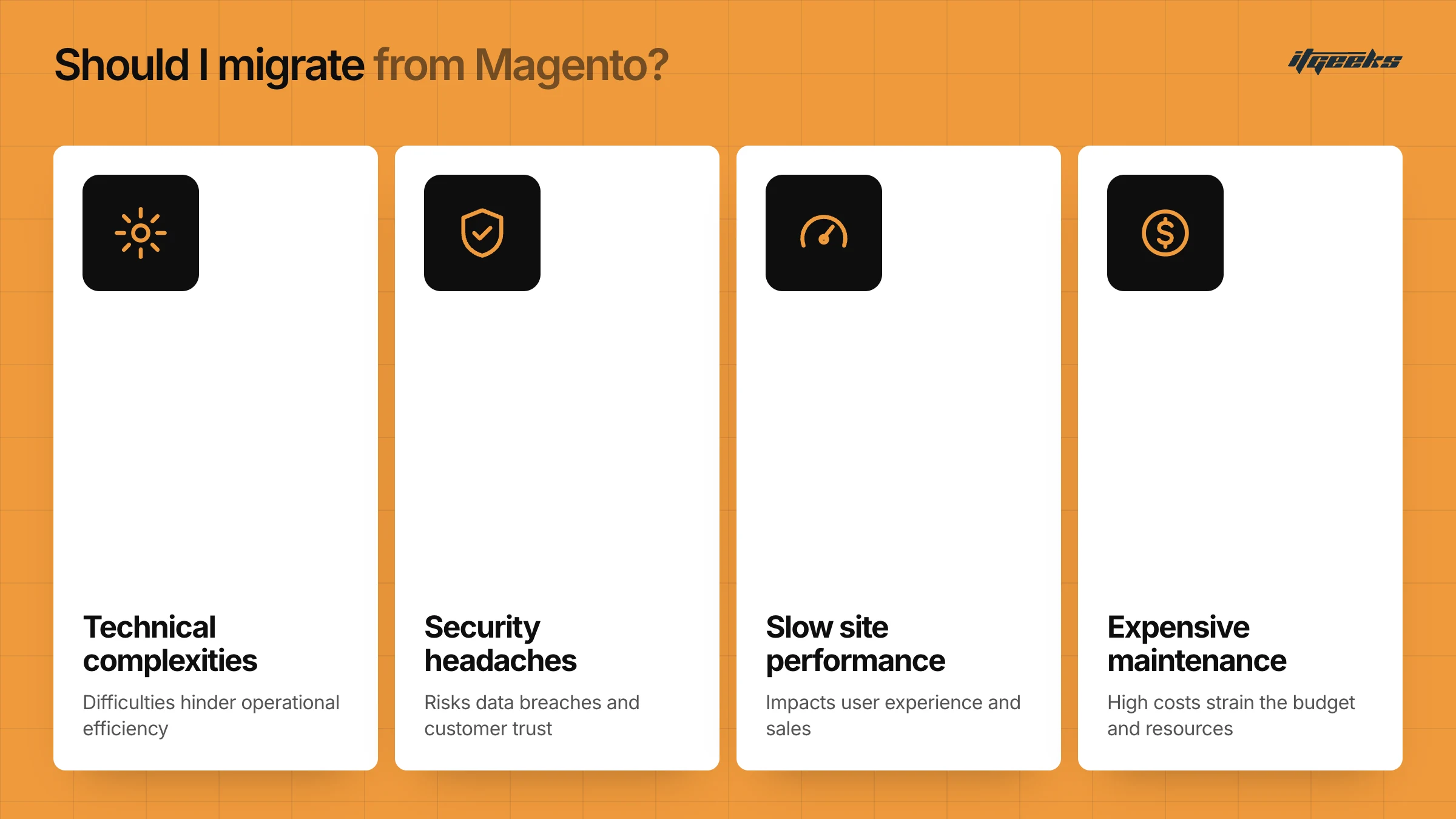
Is Magento Holding You Back? (Image2)
If you’re tired of dealing with:
Expensive maintenance
Technical complexities
Slow site performance
Security headaches
Complicated extensions
…then it’s time to consider migration!
But do I really have to migrate my whole store? Wondering this? We get you.
Your business is like your online home address, your customers know you stay there, they find you there. But migrating your store doesn’t mean that address is going to change. It will stay the same. In the migration process, when done by Migration Experts (you can find them on the Shopify Partner Directory), your customers won’t notice something is going on the back-end.
One More Thing to Think About: Which Platform Should I Choose After Magento?
When you're planning to move away from Magento, one big question is bound to pop up:
“Where should I go next?”
There are quite a few options out there: WooCommerce, BigCommerce, Wix, and more. But if you're looking for a platform that's easy to use, quick to launch, and built to scale with your business, Shopify checks all the right boxes. Let’s look at Shopify in detail.
If you want a side-by-side view first, read our comparison of Shopify vs other e-commerce platforms.
Why should you consider migrating from Magento to Shopify?
Shopify is a leading cloud-based e-commerce platform that allows you to create, manage, and grow your stores with ease. Whether you're a small business owner or a large enterprise, Shopify provides an all-in-one solution to sell products, manage inventory, process payments, and track orders, all without requiring technical expertise.
Unlike traditional self-hosted platforms like Magento, Shopify takes care of the hosting, security, and maintenance for you, so you can focus on growing your business instead of dealing with technical hassles.
With Shopify, you get:
A customizable online store with themes and drag-and-drop design.
A powerful dashboard to manage products, customers, and orders.
Integrated payment gateways like Shopify Payments, PayPal, and Stripe.
Marketing tools to boost sales, including SEO optimization and email marketing.
Multiple Sales Channels & Omnichannel Selling
Reliable Analytics & Reporting
And most importantly, a truly borderless experience with
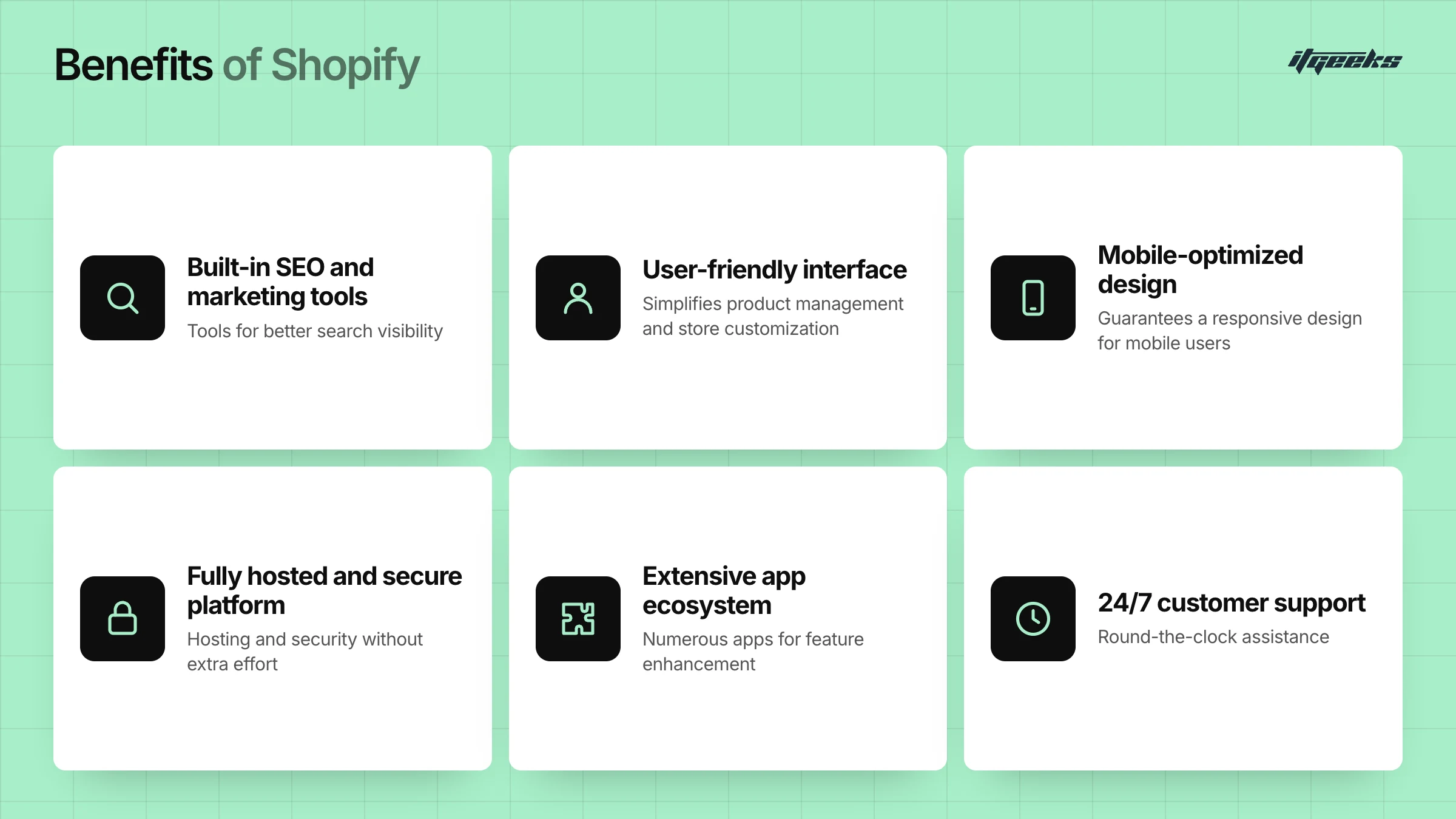
If you want an easy-to-use, fully managed, and scalable E-commerce solution, Shopify is the perfect choice. Whether you’re just starting or looking to migrate from Magento or any other traditional e-commerce platform, Shopify offers the tools and support you need to grow your business hassle-free.
Key Considerations Before Moving from Magento to Shopify
Before switching from Magento to Shopify, it's essential to plan your migration carefully to avoid data loss, downtime, or unexpected issues. Here are the key factors to consider for a smooth transition.
1. Evaluating Your Current Magento Store Data
Before migrating, take stock of your existing store data to ensure a seamless transfer.
Products & Categories: Check SKUs, descriptions, images, and variants.
Customer Data: Ensure customer profiles, purchase history, and contact details are up to date.
Orders & Transactions: Review past orders, invoices, and payment details.
Custom Features & Integrations: List all third-party extensions, custom scripts, and automation.
SEO & URLs: Keep track of your Magento URLs and metadata to maintain search rankings.
Create a backup of your Magento store before migration to avoid data loss.
2. Choosing the Right Shopify Plan
Shopify offers multiple plans depending on your business needs. Selecting the right one ensures you get the features and scalability required. Which Plan Should You Choose?
If you’re a small business with minimal needs, Basic Shopify is a good start.
If you need detailed reports and lower fees, Shopify or Advanced Shopify works well.
If you’re a high-volume store or enterprise, Shopify Plus is the best option for customization and scalability.
Plan names change over time. At the time of writing, Shopify’s pricing page lists Basic, Grow and Advanced, with Shopify Plus for high-volume and enterprise brands. The Grow plan is the mid-tier plan that was previously called simply Shopify. Prices vary by region and billing term, so check the pricing page for your country.
3. Planning the Migration Strategy
Once you've evaluated your data and chosen the right Shopify plan, it's time to decide how you'll migrate. There are two main approaches:
A. DIY Migration
As the word itself says, do it on your own. Some merchants opt for a manual migration or use Shopify’s basic import tools. However, this method has significant limitations:
Time-consuming: Requires manual exporting and importing of data.
Data Loss Risks: Complex data like customer passwords, order history, and SEO URLs may not migrate properly.
Limited Customization: Requires manual setup of design, theme, and functionality.
SEO Challenges: Redirects and metadata need to be handled carefully to avoid ranking drops.
Requires Technical Knowledge: If you’re unfamiliar with Shopify’s structure, errors can happen.
DIY is only recommended for very small stores with limited data.
B. Hiring a Migration Expert
A professional migration service ensures a seamless, error-free transfer with minimal downtime. Key benefits include:
Complete Data Transfer: Migrates products, customers, orders, images, reviews, and even SEO URLs.
SEO-Friendly Migration: Maintains your existing rankings and redirects old URLs properly.
Custom Theme Setup: Ensures your Shopify store looks and functions like your brand.
Third-Party App Integration: Helps you replace Magento extensions with Shopify apps.
Minimal Downtime: Ensures your store stays operational during migration.
Ongoing Support: Provides troubleshooting and post-migration optimizations.
If you want a hassle-free migration with zero risks, investing in a Shopify migration expert is the best decision.
Not sure how to pick a partner? Our guide to choosing the right Shopify migration agency covers what to ask. You can also see how we work on our Magento to Shopify migration service page.
In the next section, let`s discover a step-by-step migration process to help you move from Magento to Shopify seamlessly!
Magento to Shopify Complete Migration Process
Switching from Magento to Shopify is a strategic move that can enhance your store’s performance, simplify management, and improve customer experience. Here’s a step-by-step guide to ensure a smooth transition.
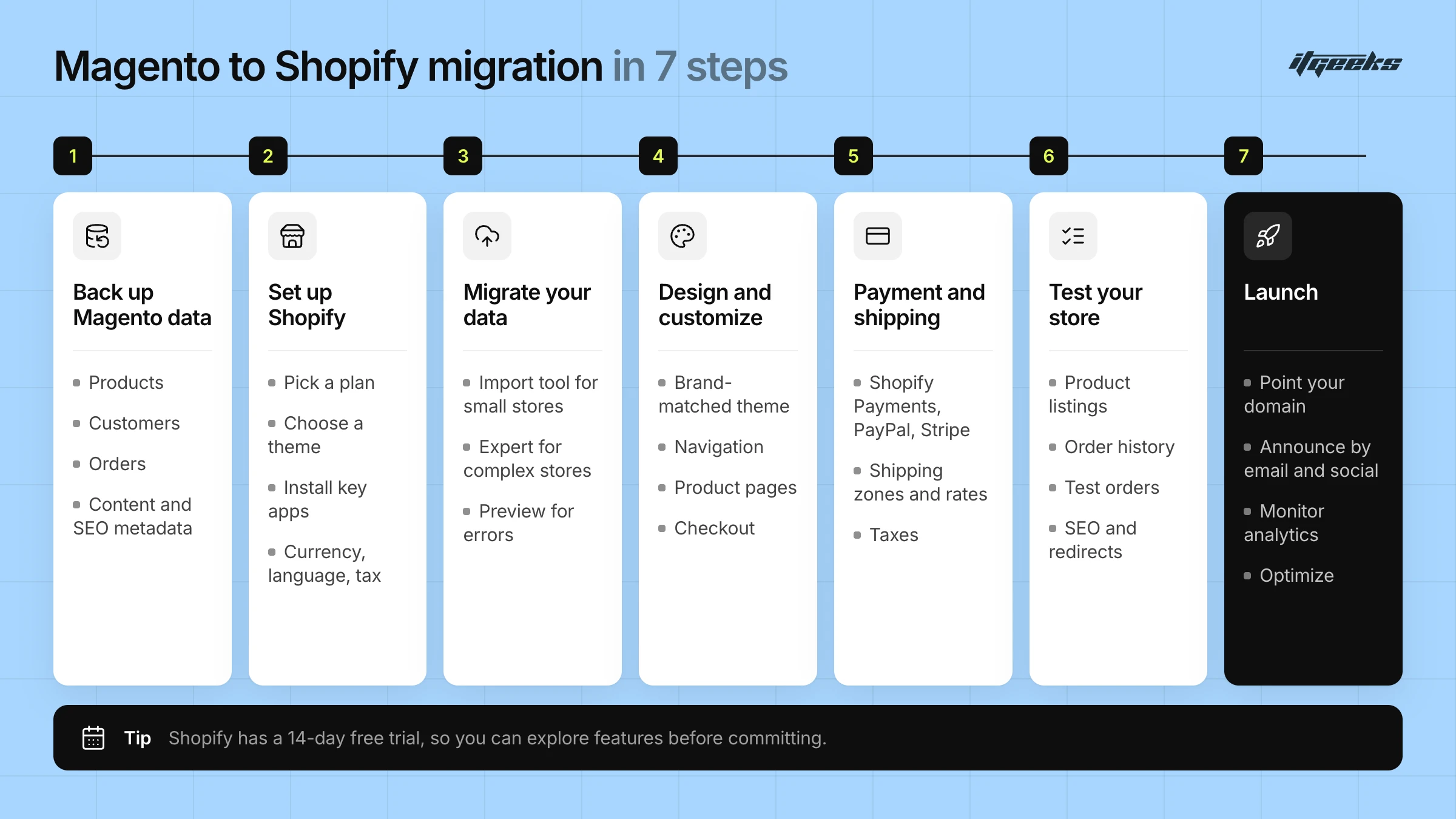
Step 1: Backup Your Magento Store Data
Before you begin, create a full backup of your Magento store to prevent data loss.
Export essential data, including:
Products (titles, descriptions, images, SKUs, prices)
Customers (names, emails, addresses, purchase history)
Orders (transactions, invoices)
Content (blogs, pages, SEO metadata)
Store your backup safely in case you need to reference it later.
Step 2: Set Up Your Shopify Store
Once your data is backed up, it’s time to set up Shopify.
Sign up for Shopify and select the plan that suits your business.
Choose a theme that aligns with your brand’s aesthetics.
Install necessary apps for SEO, marketing, payments, and inventory management.
Configure store settings, including currency, language, and tax settings.
Shopify currently offers a 3-day free trial with no credit card required, followed by a low introductory price for your first three months on most plans, so you can explore features before committing. Trial length and introductory pricing vary by region, so confirm the terms on Shopify’s pricing page.
Step 3: Migrate Data from Magento to Shopify
Now comes the actual migration process.
What Needs to Be Migrated?
Products (titles, descriptions, prices, SKUs, images)
Customer Data (names, emails, shipping details, order history)
Orders & Transactions (past purchases, invoices)
Content (blogs, static pages, meta descriptions)
Migration Methods:
1. Shopify’s Built-in Import Tool: Best for small stores with basic data.
2. Hiring a Shopify Migration Expert: Ideal for complex stores needing customization and SEO preservation.
Before finalizing, preview your imported data to check for any errors.
Check before you rely on the built-in tool. Shopify’s own free Store Migration app lists platforms such as WooCommerce, Wix, Square and Etsy, but Magento is not on its supported list. Magento merchants usually import with Shopify’s CSV tools, a third-party migration app or a migration partner. Shopify’s product CSV import allows up to 250 images and up to 3 options per product, so complex Magento catalogues need mapping before you import.
What Is Hard to Migrate: Passwords, Orders and Custom Data
Some Magento data does not move cleanly, and it is better to plan for it than to discover it after launch. Shopify’s Magento migration guide and Help Center point to these areas.
Customer passwords: they are encrypted outside Shopify and cannot be migrated. Import customers, then invite them to create a new password through Shopify’s customer import process.
Order history: the customer CSV import does not bring in orders, total spent or total orders. Historical orders need a migration app or partner, and you should agree a cutover date.
Configurable products: some Magento configurable products need manual review after import.
Custom attributes: these are usually rebuilt as Shopify metafields.
CMS blocks and widgets: these must be rebuilt natively in your theme.
Layered navigation and tier pricing: filtering works differently on Shopify, and customer-group pricing may call for a B2B setup on Shopify Plus.
Step 4: Design & Customize Your Store
Once the data is in place, focus on creating a visually appealing and user-friendly store.
Select a Shopify theme that matches your brand identity.
Customize navigation, product pages, and checkout for a smooth shopping experience.
Install essential Shopify apps to enhance store functionality (e.g., email marketing, upselling, SEO).
Shopify themes are mobile-responsive, ensuring a seamless experience across all devices.
Step 5: Set Up Payment & Shipping
Next, configure payment and shipping settings to ensure smooth transactions.
Enable Shopify Payments (or integrate PayPal, Stripe, or other gateways).
Set shipping zones & rates (flat rate, free shipping, real-time carrier rates).
Configure taxes based on your region and business model.
Offer multiple payment options to reduce cart abandonment.
Shopify Payments is only available to online stores in certain countries and regions, so check Shopify’s Shopify Payments Help Center page for your market and map each Magento payment gateway to a supported option before launch.
Step 6: Test Your Shopify Store
Before launching, thoroughly test your store to catch any issues.
Check product listings for missing images, incorrect prices, or formatting errors.
Ensure order history & customer data are properly transferred.
Run test orders to verify checkout, payment processing, and email notifications.
Check SEO elements (meta descriptions, redirects, URLs) to avoid losing rankings.
Use Shopify’s Preview Mode to experience the store as a customer would.
For the pitfalls that most often trip up larger migrations, read Shopify Plus migration mistakes to avoid.
Step 7: Launch Your Shopify Store
Everything is set. Now it’s time to go live!
Update your domain settings to point to Shopify.
Announce the migration via email and social media to inform customers.
Monitor analytics & traffic for performance insights.
Optimize post-migration (fix issues, enhance SEO, run promotions).
Offer a welcome discount to encourage customers to explore your new store!
After Launch: Protect Your SEO with 301 Redirects
Redirects are the step store owners most often underestimate. Magento product URLs usually end in .html and often sit inside category folders, while Shopify uses a flat structure of /products/ and /collections/. Every indexed URL that changes needs a permanent 301 redirect to its closest new equivalent.
Build a redirect map before launch: export your top URLs by organic traffic from Google Search Console and Google Analytics, and map each one to its new Shopify URL.
Import redirects in bulk: in Shopify admin, go to Content > Menus > URL redirects and upload a CSV. Shopify’s URL redirect guide notes a limit of 100,000 redirects on standard stores. Shopify only redirects URLs that would otherwise return a 404.
Point each old URL to its final destination: avoid redirect chains, and do not send many old URLs to the home page.
Lower your DNS TTL 24 to 48 hours before switching the domain and keep a rollback plan.
Submit your new sitemap in Google Search Console and monitor indexing, errors and queries after launch.
Keep redirects live for a long time: Google’s site move guidance suggests at least one year.
Expect rankings to fluctuate for a while even when everything is done correctly. For a deeper checklist, see our guide to maintaining SEO rankings during a Shopify migration.
Magento to Shopify Migration FAQs
Can customer passwords be migrated from Magento to Shopify?
No. Passwords are encrypted outside Shopify, so they cannot be imported with a CSV or most migration tools. You import customer profiles, then invite customers to create new passwords so they can register their accounts. Plan a short email to explain the one-time reset.
Will I lose my SEO rankings when I migrate from Magento to Shopify?
Not necessarily, but your URLs will change, so redirects are essential. Map every indexed Magento URL to its new Shopify page with a 301 redirect, carry over titles and meta descriptions, submit a new sitemap and monitor Search Console. Google notes that rankings can fluctuate for a while during a site move.
Can I use Shopify’s Store Migration app for Magento?
The app’s listing currently names Square, WooCommerce, Etsy, Wix, Amazon, eBay, Clover and Lightspeed, and does not list Magento. It also covers only product and customer data. Magento stores typically use CSV imports, a third-party migration app or a migration partner, especially when orders and redirects must move too.
Is Magento being discontinued?
No. Adobe still publishes Magento Open Source and Adobe Commerce releases, and lists 2.4.9 with regular support until May 2029. However, older release lines such as 2.4.4, 2.4.5 and 2.4.6 have reached the end of regular support, so merchants on those versions must upgrade or consider moving.
Why migrate with ITGeeks?
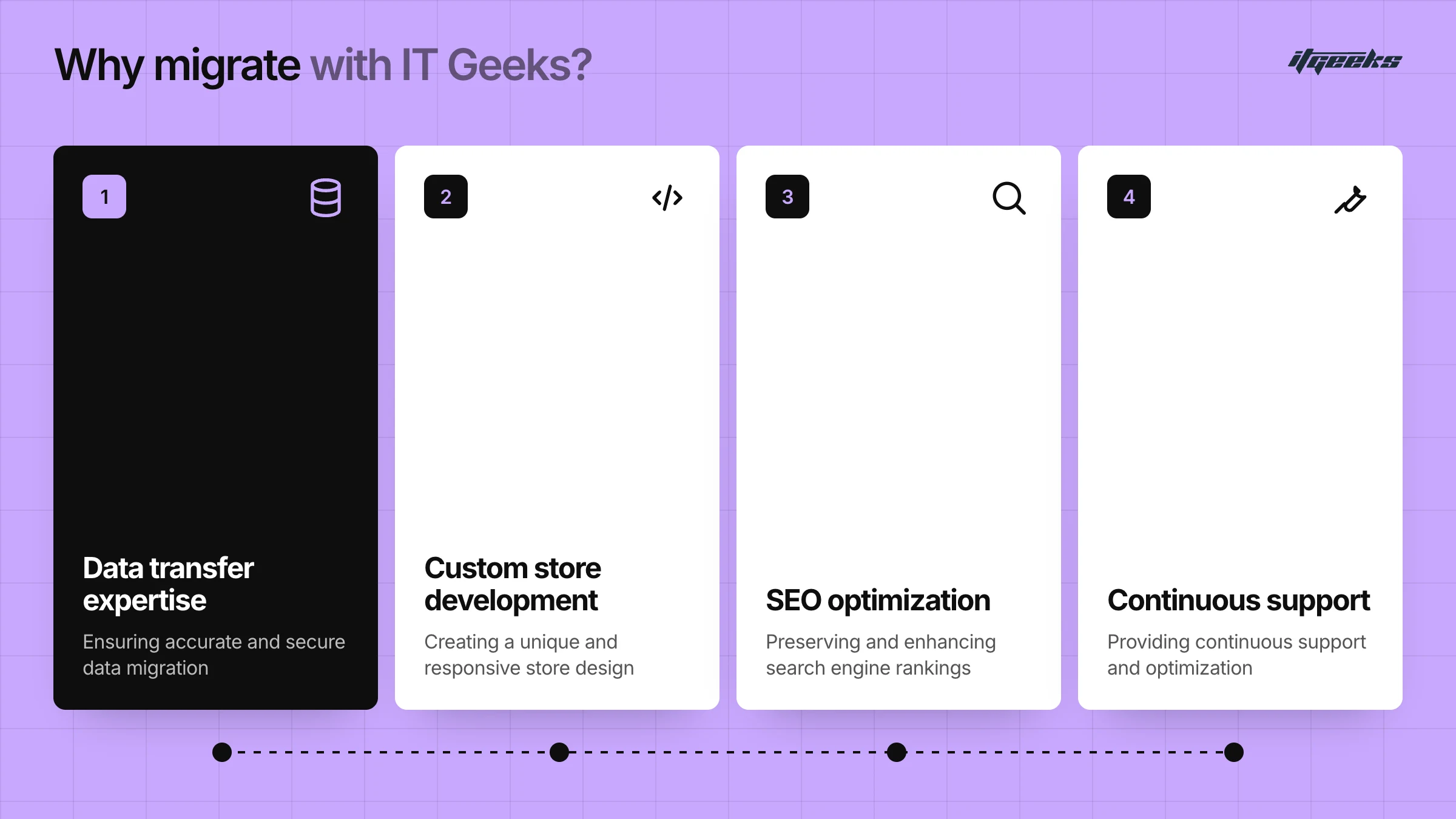
Moving from Magento to Shopify is a complex process that requires expertise to ensure a seamless transition without losing data, functionality, or SEO rankings. That’s where ITGeeks, a certified Shopify Platinum Partner, comes in. Here’s why partnering with us makes all the difference.
1. Expertise in Seamless Data Transfer
Moving your store’s data isn’t just about copying and pasting. It requires precision to avoid errors.
Complete migration of products, customers, orders, and content.
Ensures no data loss or duplication.
Secure transfer of customer information and payment details.
With our experience in handling complex migrations, your store’s transition will be smooth and hassle-free.
2. Custom Store Development & Design
Your Shopify store should reflect your brand identity and provide an intuitive shopping experience.
Custom theme development tailored to your business needs.
User-friendly navigation & mobile-responsive design.
Feature-rich store setup with essential Shopify apps.
We don’t just migrate, we help you build a Shopify store that converts visitors into loyal customers.
3. SEO Optimization to Retain Rankings
A poorly executed migration can hurt your SEO rankings and lead to traffic loss. Our SEO-first approach ensures
301 redirects to preserve URL structures.
Optimization of meta tags, product descriptions, and images.
Fast-loading pages and mobile-friendly design.
We make sure your Shopify store maintains (or even improves) its visibility on Google!
4. Ongoing Support & Performance Optimization
Our partnership doesn’t end once the migration is complete, we offer continuous support to help your store thrive.
Post-migration troubleshooting & bug fixes.
Speed optimization for faster load times.
Shopify training to help you manage your new store efficiently.
We’re not just migration experts. We’re long-term partners in your E-commerce success!
Make Your Magento to Shopify Migration Hassle-Free with ITGeeks
Certified Shopify Platinum Partner with proven expertise.
End-to-end migration with no data loss.
SEO-focused approach to maintain rankings.
Custom store development to enhance user experience.
Ongoing support to help your business grow.
Ready to make the switch? Let ITGeeks handle your Magento to Shopify migration seamlessly!
Want to see how we handle it? Explore our Magento to Shopify migration service or, if you are on the paid edition, our Adobe Commerce to Shopify migration service, then talk to our team.