


Introduction
In the world of eCommerce, customer reviews play a pivotal role in influencing purchasing decisions. A compelling review can significantly impact your store’s conversion rates, making it essential to choose the right product review app for your Shopify store. This guide will walk you through how to select the best review app to maximize conversions and enhance your store’s performance.
The short answer: the best Shopify product reviews app is the one that lets you collect, moderate, display and export genuine customer reviews with the least effort. Look for a centralized dashboard, import/export, detailed review insight, product-specific feedback and customizable settings. Then check for automated review requests, photo and video reviews and review markup for search, and test the app on a free plan or trial before you commit.
Understanding the Importance of Product Reviews
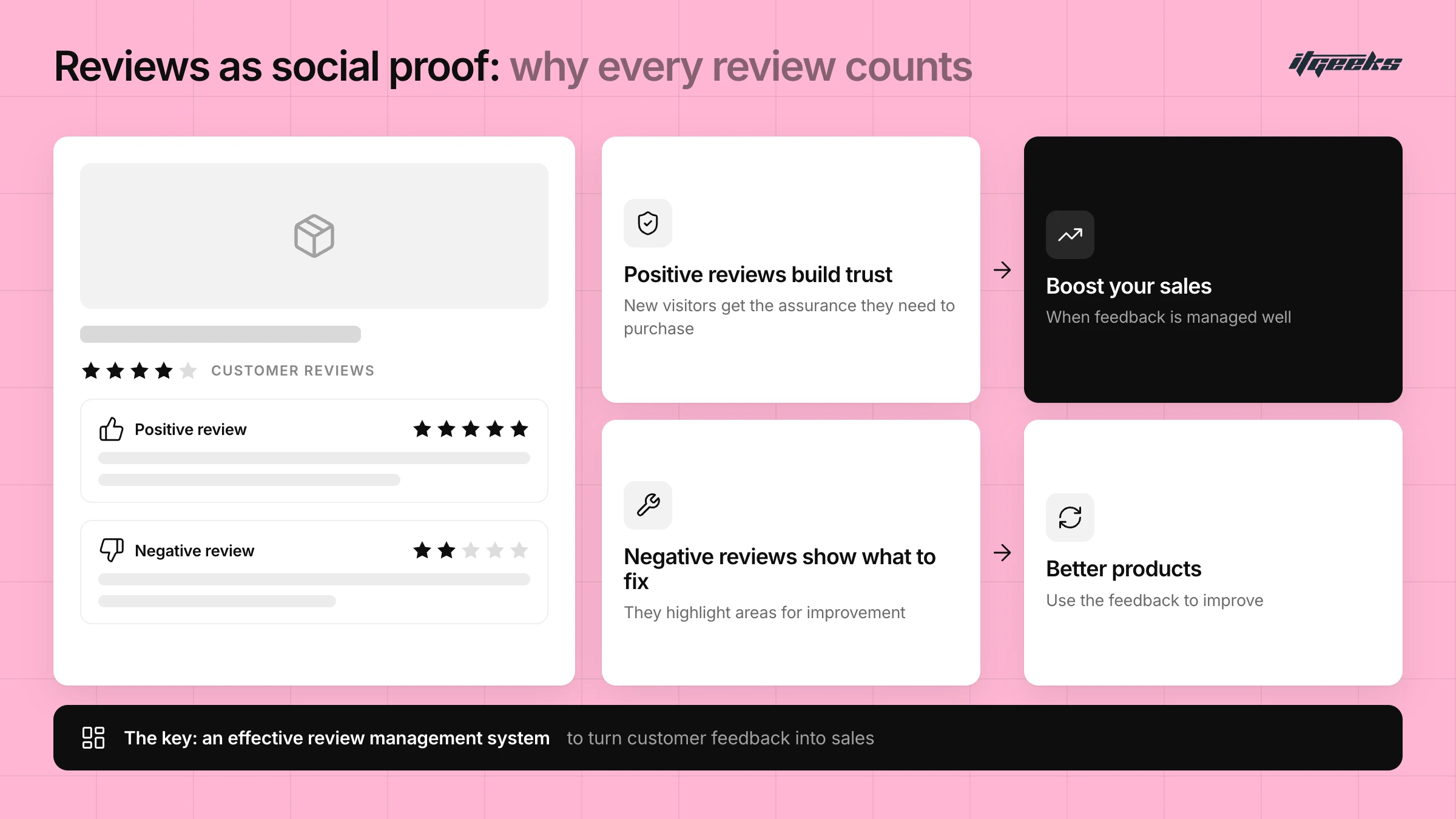
Before diving into the specifics of choosing a Shopify product reviews app, it’s crucial to understand why reviews matter. Customer feedback serves as social proof, providing new visitors with the assurance they need to purchase. Positive reviews can build trust, while negative ones can highlight areas for improvement. Thus, having an effective review management system is key to leveraging this feedback to boost your sales.
The evidence points the same way. Research from the Spiegel Research Center at Northwestern University found that a product with five reviews was far more likely to be purchased than the same product with none, and that purchase likelihood peaked at average ratings of roughly 4.0 to 4.7 stars rather than a perfect 5.0. You can read the findings in How Online Reviews Influence Sales. Shopify’s own guide, How To Choose a Product Review App for Your Shop, also lists reviews as social proof that supports loyalty, product insight and SEO.
Key Features to Look for in a Shopify Review App
When selecting the best review app for Shopify, there are several features you should consider to ensure it aligns with your store’s needs:
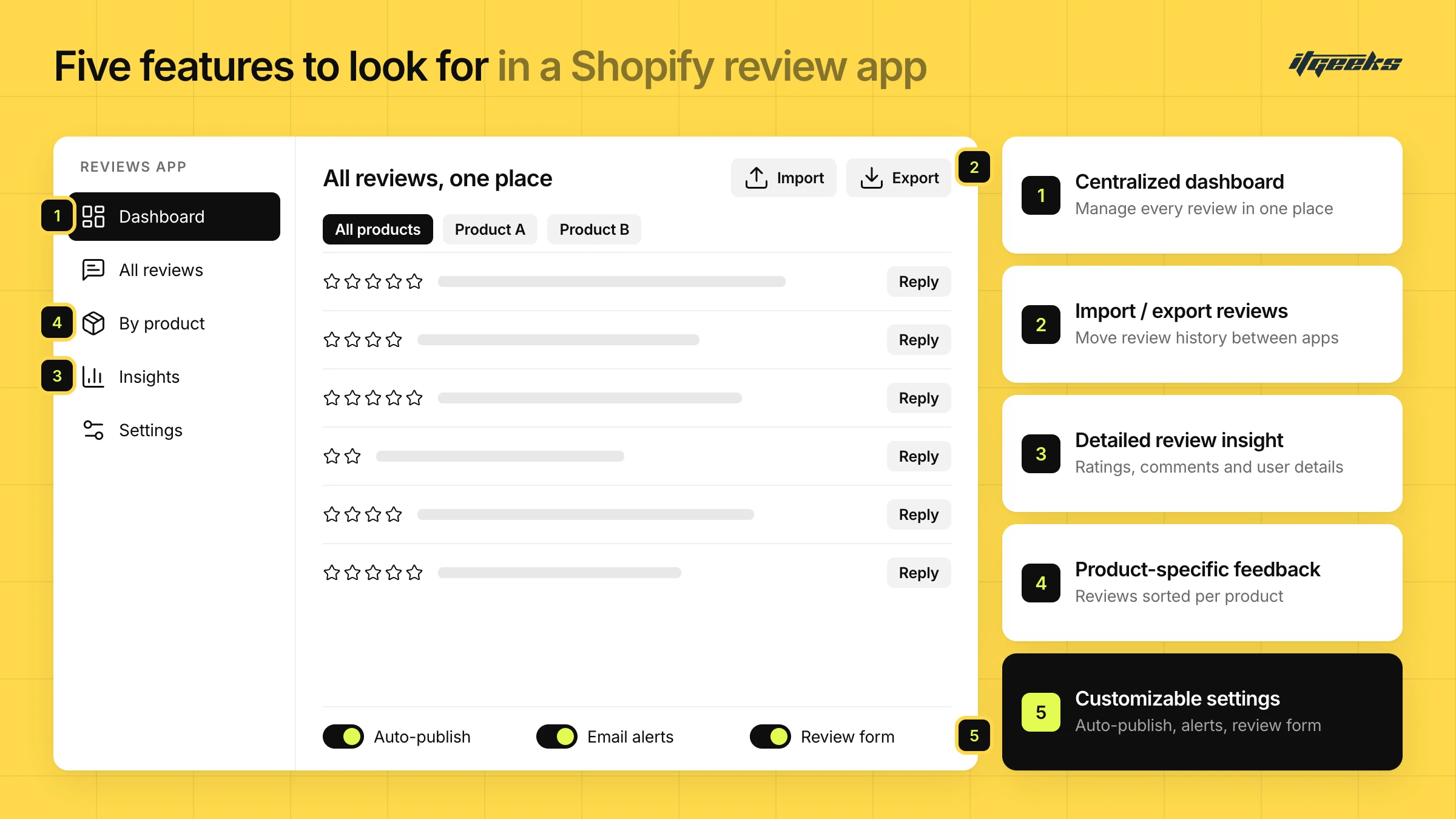
What are the must-have features in a product reviews system to boost conversions? At a minimum, you need a centralized dashboard to manage reviews, import/export so you never lose your review history, detailed review insight, product-specific feedback and customizable settings for auto-publishing, notifications and the review form. Automated review requests, photo and video reviews and search-friendly review markup are strong additions, because they help you collect more reviews and show them to more shoppers.
Centralized Dashboard
A centralized dashboard is essential for efficient review management. This feature allows you to handle all customer reviews from one convenient location. Instead of navigating through multiple platforms or interfaces, you can manage, moderate, and respond to reviews with ease. This streamlined approach not only saves time but also ensures that no review goes unnoticed, helping you maintain an organized and responsive review system.
Import/Export Reviews
The ability to import/export reviews is a game-changer for many Shopify stores. This feature allows you to easily transfer reviews between platforms or migrate your review data as needed. Whether switching to a new review app or consolidating feedback from various sources, the import/export functionality simplifies the process and helps maintain continuity in your review history.
Detailed review insight
To make informed decisions based on customer feedback, you need access to detailed review insight. This feature provides comprehensive information about each review, including ratings, comments, and user details. By analyzing this data, you can gain valuable insights into customer satisfaction, identify common issues, and understand what aspects of your products are most appreciated or criticized.
Product-Specific Feedback
Effective review management involves more than just handling feedback in bulk. With product-specific feedback, you can categorize and manage reviews for individual products. This granularity allows you to address specific concerns related to each product, tailor your responses, and enhance the overall customer experience. By focusing on product-specific reviews, you can also identify which items are performing well and which may need improvements.
Customizable Settings
Customizable settings are crucial for tailoring the review process to your store’s unique needs. Look for a reviews app that offers adjustable options for auto-publishing reviews, setting up email notifications, and designing the review form. These settings allow you to control when and how reviews are displayed, how you are notified of new feedback, and how customers interact with the review process. Customization ensures the review system fits seamlessly into your store workflow and branding.
More Features Worth Checking
Beyond the five core features, these capabilities often separate a basic app from a genuinely useful one:
Automated review requests. The app should email customers after their order arrives, so reviews build up steadily without manual chasing.
Photo and video reviews. Customer images and clips show a product in real use and give new visitors more to go on than text alone.
Review markup for search. Reviews marked up with schema.org data can qualify for star ratings in Google results. Google’s review snippet guidelines require an average rating plus a rating or review count, reviews about one specific item, and no fake or undisclosed incentivized reviews.
Moderation and spam control. You should be able to publish, hide or reply to each review, and mark spam, so your product pages only show genuine feedback.
Theme-friendly display. Review widgets should load on product pages and collection pages without slowing the store or clashing with your design.
Selecting the Best Review App for Shopify
With these features in mind, let’s explore how to identify the best review app for Shopify that meets your needs. Note that Shopify’s own free Product Reviews app is no longer available on the Shopify App Store, so you will be choosing from third-party apps.
Evaluate Features and Integration
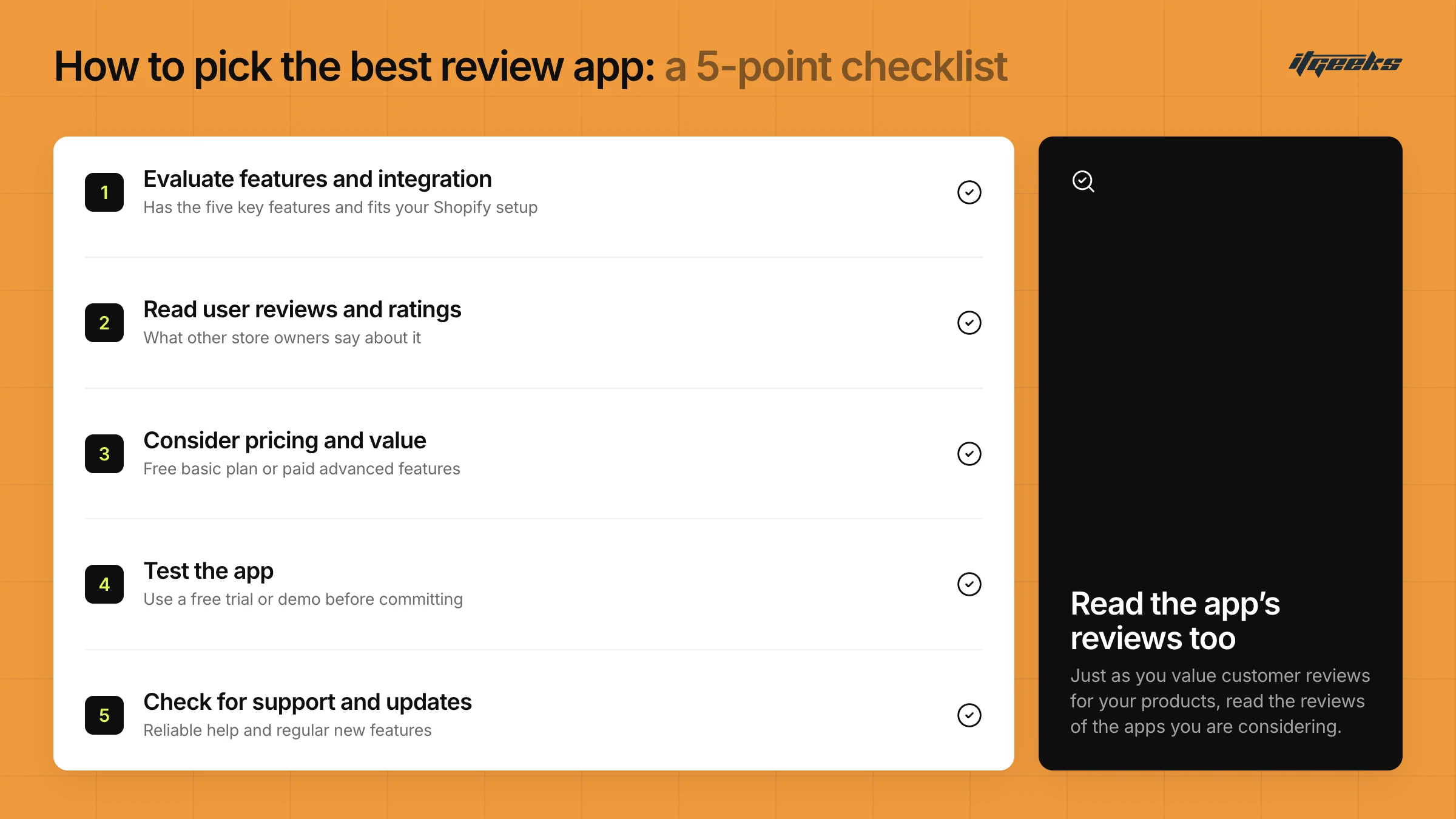
Assess whether the app offers the features mentioned above, such as a centralized dashboard, import/export capabilities, detailed review insights, product-specific feedback, and customizable settings. Ensure that the app integrates smoothly with your existing Shopify setup and other tools you may be using.
Read User Reviews and Ratings
Just as you value customer reviews for your products, consider the feedback on potential review apps. Look for reviews from other Shopify store owners to gauge the app’s performance, ease of use, and customer support.
Consider Pricing and Value
Compare the pricing plans of different review apps to find one that offers good value for the features provided. Some apps may offer a free version with basic features, while others may require a subscription for advanced functionalities. In its October 2024 guide, Shopify listed review apps with free plans and paid plans starting at roughly $6 to $30 a month, but prices change, so always confirm the current plan on the app’s listing in the Shopify App Store.
Test the App
Many review apps offer free trials or demo versions. Please take advantage of these opportunities to test the app features and ensure they meet your expectations before committing to a long-term plan.
Check for Support and Updates
Choose an app that offers reliable customer support and regular updates. An app that is well-maintained and supported can help you resolve any issues promptly and stay up-to-date with the latest features.
Choosing a Review Solution When Moving to Shopify from Magento or Salesforce Commerce Cloud
How do you choose a product review management solution that works with Shopify when you are coming from Magento or Salesforce Commerce Cloud? Pick a Shopify review app that can import your existing reviews from a CSV export, keep each review matched to the right product, and let you export them again later. Then test the import on a few products before you migrate everything.
Reviews are some of the most valuable content on a product page, and they are easy to lose in a replatform. Before you switch, export your reviews from the old platform, including rating, review text, reviewer name, date and product identifier. Ask each app you shortlist which fields it imports. Import requirements differ between apps, so check the app’s help documentation first.
If you are planning the move itself, our guides to migrating from Magento to Shopify and moving from Salesforce Commerce Cloud to Shopify Plus cover the wider picture, and our team handles Magento to Shopify and Salesforce Commerce Cloud to Shopify migrations.
Implementing the Best Review App
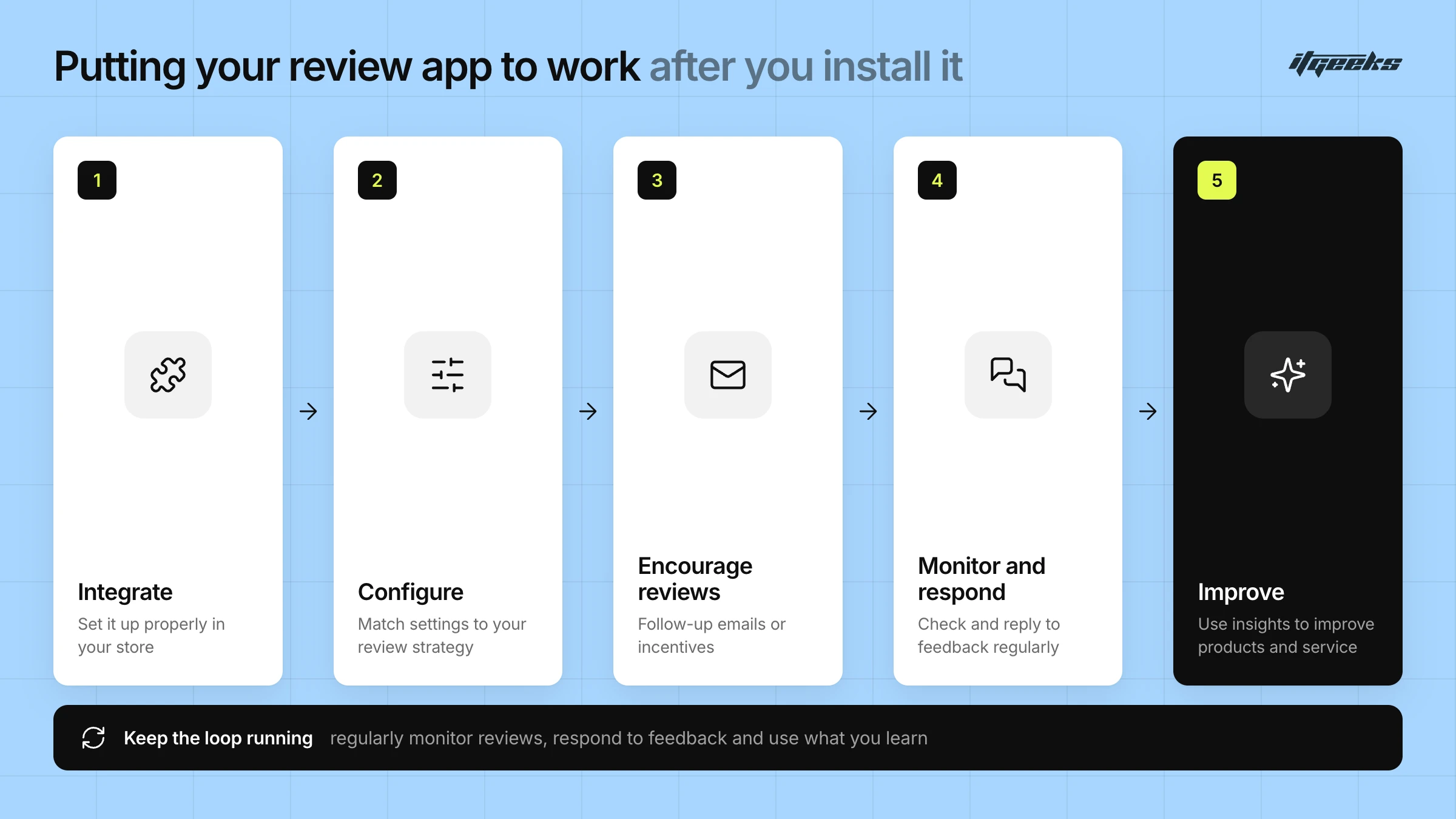
Once you’ve selected the best review app for Shopify, the next step is to implement it effectively. Ensure that the app is properly integrated into your store, and configure the settings to match your review management strategy. Encourage your customers to leave reviews by sending follow-up emails or providing incentives. Regularly monitor the reviews, respond to feedback, and use the insights gained to improve your products and services.
Collect Reviews the Compliant Way
If you offer incentives, keep the process honest. The US Federal Trade Commission’s rule on consumer reviews and testimonials, 16 CFR Part 465, has been in effect since October 2024. It bans fake or AI-generated reviews, paying for positive or negative reviews, and suppressing negative reviews through threats or intimidation. Ask every customer for feedback, publish honest reviews, and never write or buy reviews yourself. This is general information, not legal advice, so check the rules that apply in your markets.
Measure the Impact
After launch, track the share of orders that leave a review, the review count on your best-selling products, and the conversion rate of product pages before and after reviews go live. If you want help turning review data into better product pages, our conversion rate optimization team can help, and our guide to getting the most from the Shopify App Store covers how to vet any app before you install it.
Conclusion
Choosing the Shopify reviews app is a critical decision that can significantly impact your store conversion rates and overall success. By focusing on key features such as a centralized dashboard, import/export capabilities, detailed review insights, product-specific feedback, and customizable settings, you can select an app that enhances your review management process and boosts customer satisfaction. Invest the time to find and implement the best review app, and watch as it contributes to your store’s growth and success.