

A Comprehensive Guide to Migrating from Wix to Shopify: Process, SEO, and Key Considerations.
Short answer: there is no one-click way to move a Wix store to Shopify. You export your products and customers from Wix as CSV files, import them into Shopify, rebuild your pages, navigation and design, move orders with a third-party app, and set up 301 redirects from your old Wix URLs before you launch. Shopify’s own Migrate from Wix guide follows the same basic path.
Running an e-commerce store is not an easy task. From managing inventory and handling customer queries to making sure your website looks great and runs smoothly, there’s always a lot on your plate! To add to that, there are platform limitations.
At the start of your journey, Wix might seem a feasible solution due to its ease of use, only to find that it’s not scalable. As your business grows, you start feeling the pinch. Maybe you’re frustrated with limited customization, struggling with advanced e-commerce features, or just finding it harder to scale. And now, you’re asking yourself:
"Is Shopify a better fit for my business? What difference does it offer?"
That’s exactly what we’re here to explore.
Let’s have a brief summary of what we are going to explore -
Why do store owners move from Wix to Shopify?
How does the migration process work?
What happens to your SEO, apps, and store design?
How do you switch seamlessly?
Aren’t these the questions running through your mind?
Then let’s dive in and get you on the path to a smarter, stronger, and more scalable e-commerce future!
Let's understand, “Why do store owners move from Wix to Shopify?”
Store owners usually move from Wix to Shopify because Wix is a website builder with e-commerce added on, while Shopify is built for selling. As catalogs, traffic and sales channels grow, merchants want deeper checkout and payment options, stronger inventory and multi-channel tools, more design and code control, and finer technical SEO settings.
Wix is a cloud-based website builder that allows users to create websites using a simple drag-and-drop interface. It’s popular among small businesses and bloggers.
It might seem like a great starting point for building an online site, but not for your store because as your business scales, its limitations become more obvious. While it's marketed as an all-in-one platform, serious e-commerce brands often find themselves frustrated with its lack of flexibility, control, and scalability.
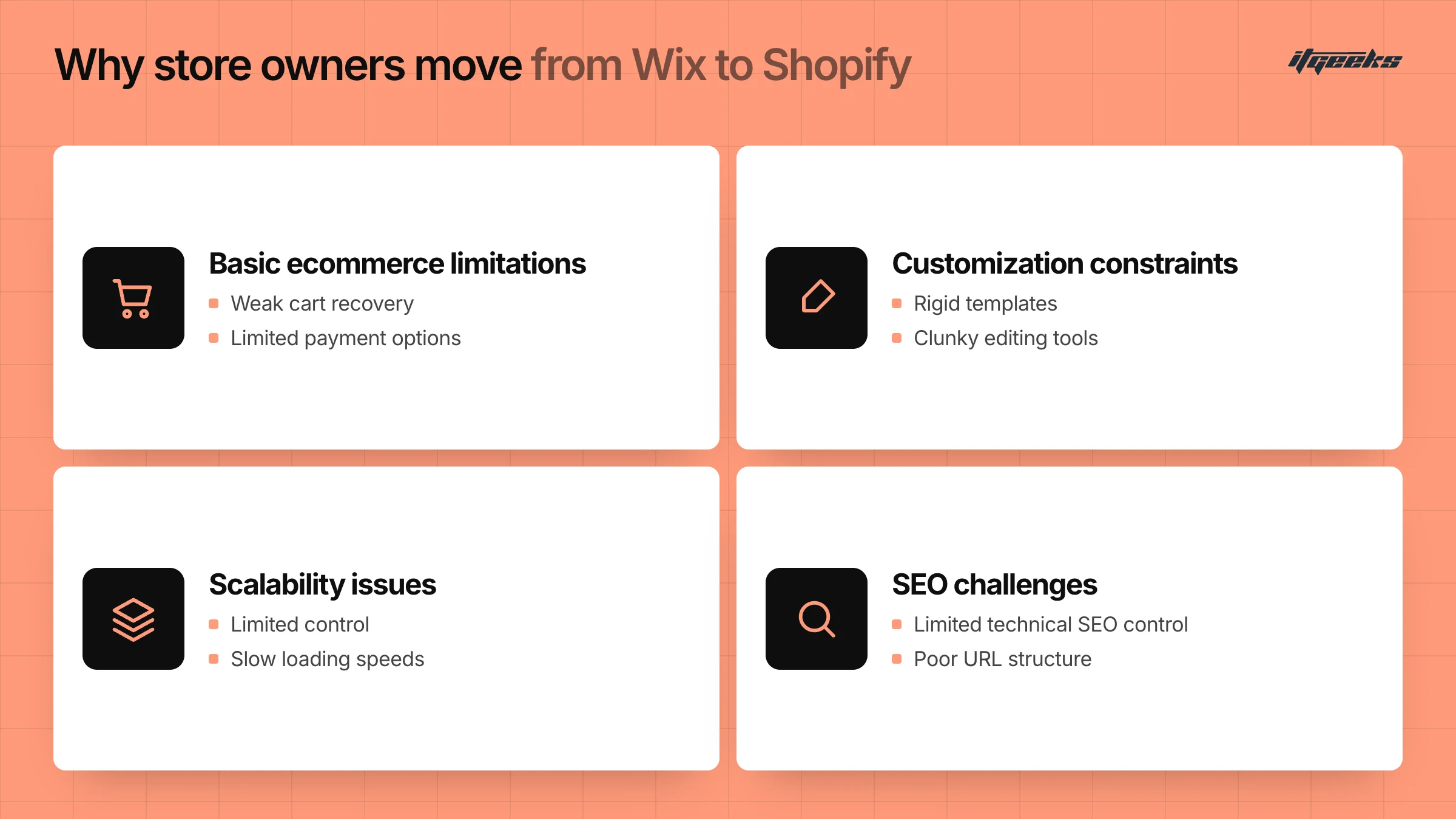
1. Basic E-commerce limitations
Wix wasn't designed for e-commerce. It was built as a website builder, and the e-commerce store functionality was added later. Because of this
Limited payment gateway options compared to platforms like Shopify
No advanced inventory management or multi-channel selling capabilities
Weak abandoned cart recovery, which means lost sales opportunities
2. Poor Scalability:
As your business expands, Wix can start holding you back instead of supporting growth:
Can struggle with high traffic and large product catalogs
Slow site speed, which affects user experience and SEO rankings
Limited automation tools, making operations more time-consuming
3. Limited Customization & Design Freedom
Wix is great for beginners because of its drag-and-drop builder, but that simplicity comes at a cost:
Rigid templates that aren’t fully customizable
Clunky editing tools that make advanced design tweaks difficult
No full access to site code, restricting developers from making deeper modifications
4. SEO Challenges:
If organic traffic is a big part of your strategy, Wix can become a bottleneck:
URL structures that are harder to control than on Shopify
Slow loading speeds, which lower your ranking on search engines
Limited control over technical SEO settings compared to Shopify
5. Higher Costs with Fewer Features
At first glance, Wix appears affordable, but once you start adding necessary apps and upgrades, the costs pile up fast:
Many essential e-commerce features require paid third-party apps
Scaling to higher plans doesn’t provide much additional value
Shopify offers more built-in e-commerce tools at a similar (or better) price
If you’re running a hobby store or a very small business, Wix might work for now. But if you’re serious about growing, selling more, and optimizing your store for success, you’ll quickly see its shortcomings. That’s why many entrepreneurs move from Wix to Shopify for its better performance, flexibility, and long-term growth potential.
Shopify
Shopify is a leading Next-Gen e-commerce platform that allows you to create, manage, and scale your online stores with ease. Unlike website builders like Wix, Shopify is built specifically for e-commerce, providing powerful tools to help store owners sell products, manage inventory, process payments, and optimize business for growth. Whether you're just starting or running a full-fledged brand, Shopify gives you everything you need to thrive in the online marketplace, without the tech headaches.
What Makes Shopify Different?
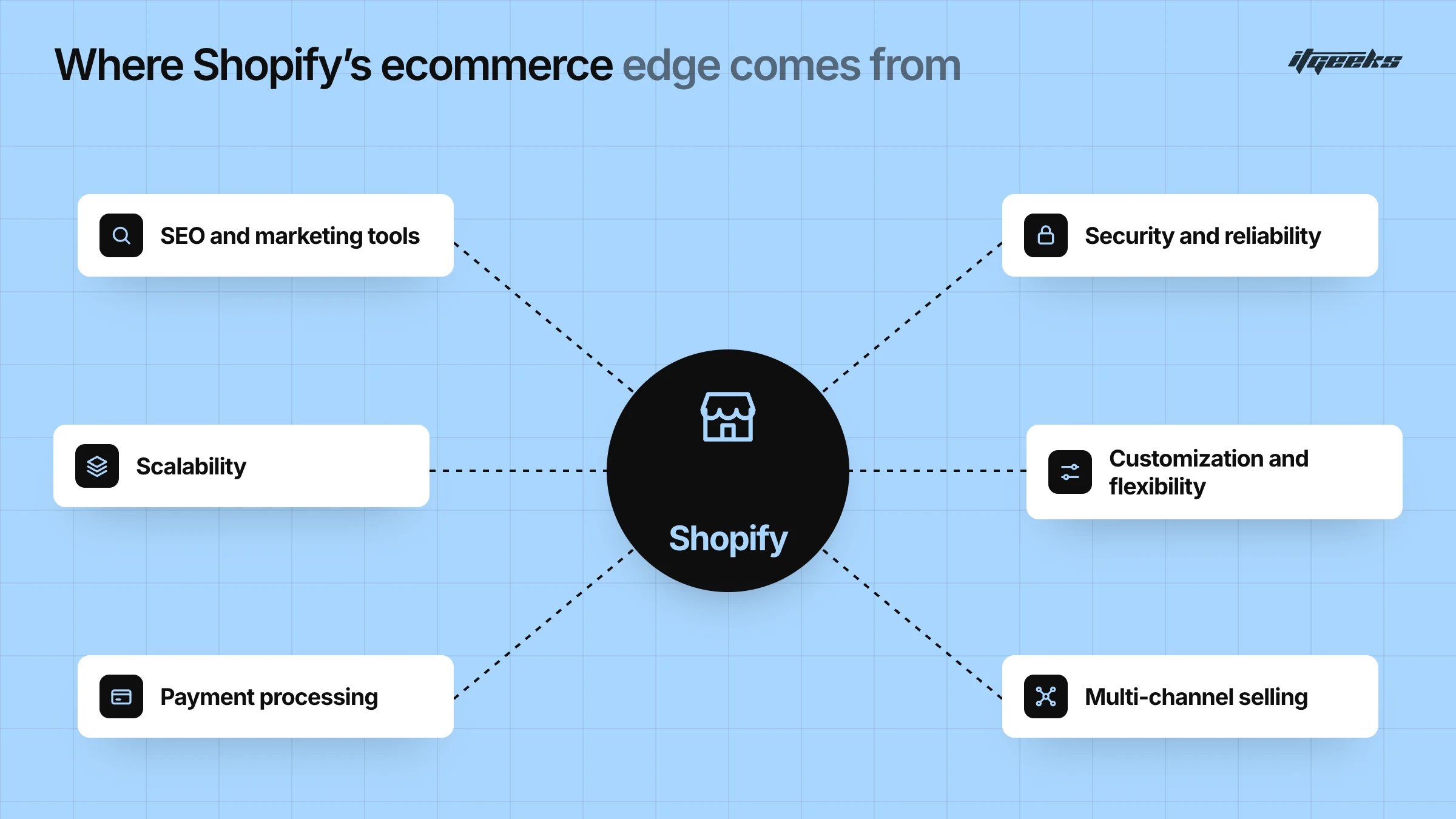
Shopify stands out as one of the most powerful and user-friendly e-commerce platforms available today. Unlike general website builders like Wix or self-hosted solutions like WooCommerce, Shopify is built specifically for e-commerce, offering an all-in-one solution to help businesses sell products, manage operations, and scale efficiently.
Here’s a detailed breakdown of what makes Shopify different from other platforms:
1. Built for E-commerce, Not Just Websites
Many businesses start with platforms like Wix or Squarespace, which are primarily website builders with added e-commerce features. However, Shopify was designed exclusively for selling online, meaning it offers:
A streamlined checkout process optimized for conversions.
Inventory and order management tools to track stock easily.
Product page customization, including variants, digital goods, and subscriptions.
E-commerce automation, like abandoned cart recovery and dynamic discounting.
Instead of struggling with a generic website platform, Shopify gives store owners a professional e-commerce infrastructure from day one.
2. Scalability: Handles Small to Large Businesses
A major issue with many platforms (like Wix or WooCommerce) is that they struggle to scale as a business grows. Shopify, however, can handle everything from a small boutique store to a large enterprise brand.
Cloud-based hosting managed by Shopify, so you don’t have to provision servers for traffic spikes.
Fast, optimized storefronts for a better user experience and SEO performance.
Shopify Plus (for enterprise businesses) adds higher-volume capabilities, such as expanded checkout customization and automation tools.
Flexible API integrations make it easy to connect with existing tools and ERPs.
As your business grows, Shopify grows with you, without performance slowdowns.
3. Customization & Flexibility
Shopify allows store owners to fully customize their store’s look, feel, and functionality. Compared to platforms like Wix, which restrict deeper modifications, Shopify gives you total design freedom.
Free and premium themes in the Shopify Theme Store to match your brand.
Full access to Shopify’s Liquid code, allowing for deep customizations.
Drag-and-drop editor for easy design changes.
An App Store with 16,000+ apps (per Shopify, October 2026) to add features like subscriptions, reviews, and upsells.
Whether you're a beginner using pre-made themes or a developer coding a custom store, Shopify gives you endless flexibility. Not sure which theme to start with? Read our guide to choosing the perfect Shopify theme.
4. Multi-Channel Selling: Sell Everywhere
One of Shopify’s biggest advantages over competitors is its ability to sell products across multiple channels seamlessly. Instead of being limited to just a website, Shopify lets you expand to:
Amazon: List and manage Amazon inventory directly from Shopify.
Instagram & Facebook Shops: Sell products directly through social media.
Google Shopping & TikTok: Run shoppable ads with easy integrations
Point of Sale (POS) System: Sell in physical stores, pop-up shops, or events.
Shopify acts as a central hub, making it easy to manage inventory, orders, and customer interactions across multiple platforms.
5. SEO & Marketing Tools: More Visibility, More Sales
Shopify is designed to help your store rank higher on Google and attract more customers, with more control over technical SEO than many website builders offer.
Editable URL handles & a clean site structure for products, collections, pages and blog posts.
Fast loading speed, which supports better search and shopping experiences.
Built-in blogging platform to drive organic traffic.
Email marketing & automation for customer engagement.
Discounts, upsell, and promotions to increase revenue.
Shopify includes the core SEO and marketing tools out of the box, and you can extend them with apps as you grow.
6. Security & Reliability: No Technical Hassles
Managing a website on a builder often comes with limits on hosting control and performance optimization. Shopify gives you a managed, secure and stable platform with:
Managed hosting and automatic platform updates, so you don’t apply manual security patches to the platform itself.
Built-in SSL certificate on your store’s domains.
PCI DSS Level 1 compliance: Shopify states it is certified Level 1 PCI DSS compliant, which extends to stores on the platform.
Shopify Support, which Shopify advertises as available 24/7.
With Shopify, you don’t have to worry about servers, platform security patches, or hosting performance. Everything is managed for you, allowing you to focus on growing your business instead of handling technical challenges.
7. Payment Processing: Secure & Flexible
Unlike Wix, which offers limited payment options, Shopify provides flexible and seamless payment processing:
Shopify Payments: no third-party transaction fees, and support for multiple currencies in supported countries (card processing rates still apply).
Many third-party payment gateways like PayPal, Stripe, and Authorize.net. Shopify charges a transaction fee when you use a third-party provider instead of Shopify Payments, and the rate depends on your plan.
Buy now, Pay Later (BNPL) options like Klarna and Afterpay.
Automatic tax calculations make checkout easier for customers.
This ensures a smooth and secure checkout experience, increasing conversions and trust.
All these features make Shopify a next-gen e-commerce platform, giving it a competitive edge over all other platforms.
How to Migrate from Wix to Shopify: A Step-by-Step Guide
Switching from Wix to Shopify can be a game-changer for your business, offering better scalability, flexibility, and advanced eCommerce features. However, it’s a complex and crucial procedure that, if not performed properly, can result in huge losses. With years of experience migrating countless stores, we have shared the process we use for migration. However, a smooth migration requires careful planning and execution.
Here’s a step-by-step guide to help you move from Wix to Shopify without losing data, SEO rankings, or customers. Our wider complete guide to migrating to Shopify covers the steps that apply to any platform.
What Moves from Wix to Shopify, and How
Before you start, it helps to know which data can move and which cannot. This summary follows Shopify’s Migrate from Wix guide:
| Data | Can it move? | How |
|---|---|---|
| Products | Yes | Wix CSV export, reformatted for Shopify’s template, or Shopify’s free Store Migration app |
| Customers | Yes | Wix contacts CSV export (site owner only), reformatted to Shopify’s customer template |
| Order history | Yes, with an app | Export orders from Wix, then use a third-party app such as Cart2Cart, LitExtension or EZ Importer |
| Product reviews | Not directly | Wix reviews cannot be exported, so re-enter them or use a reviews app |
| Digital products | Not directly | Wix digital products cannot be exported, so add them manually |
| Pages, blog posts and design | Rebuilt | Recreate them in Shopify’s theme editor, Pages and Blog posts |
Step 1: Set Up Your Shopify Store
Before you begin the migration, back up your Wix data and create a Shopify store:
Sign up for Shopify: Visit Shopify.com and start a free trial.
Select a Shopify Plan: Choose a plan based on your business needs.
Pick a Theme: Shopify offers free and paid themes; select one that aligns with your brand.
Configure Basic Settings: Set up currency, tax rates, payment gateways, and checkout preferences.
Keep your Wix store live while you build. Shopify downloads product images from your Wix image URLs during the product import, so import before you close your Wix store.
Step 2: Export Data from Wix
Since Wix doesn’t have a direct export-to-Shopify option, you’ll need to extract key store data yourself:
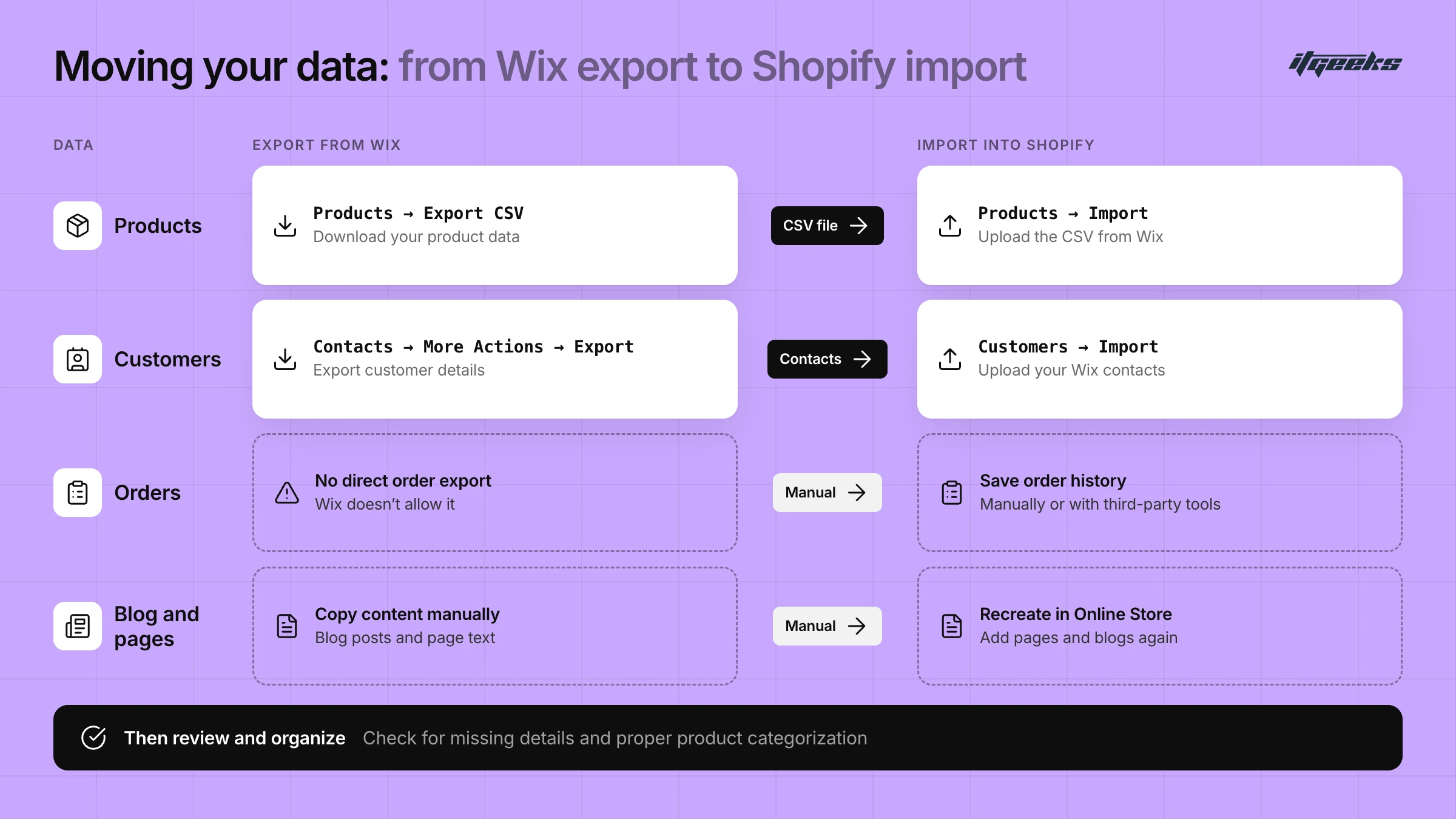
Products: In the Wix dashboard, go to Products → Export CSV and download your product data. Wix exports up to 5,000 rows per file, so split larger catalogs across several exports.
Customers: Export customer details from Contacts → More Actions → Export Contacts. Only the Wix site owner can export contacts.
Orders: Wix lets you export orders as a CSV, but Shopify has no native order import. To bring order history into Shopify, use a third-party migration app such as Cart2Cart, LitExtension or EZ Importer, or keep the Wix export as an archive.
Blog Posts & Pages: Copy blog content and page text manually to migrate later (or use a migration tool that reads your published pages).
Step 3: Import Data into Shopify
Now, transfer your Wix data into Shopify:
Import Products: Go to Shopify’s admin panel, navigate to Products → Import, and upload the CSV file from Wix. The file must match Shopify’s product CSV format and be 15 MB or smaller, so reformat the Wix columns first, or use Shopify’s free Store Migration app, which accepts the Wix CSV and brings products in as drafts. Shopify allows up to three options per product, so Wix products with four or more options need to be fixed by hand. Untick “publish to all sales channels” if you want hidden products to stay unpublished. Details are in Shopify’s product import guide.
Add Customers: In Customers, click Import and upload your Wix contacts, after matching the column headings to Shopify’s customer template.
Manually Recreate Pages & Blogs: Use Content → Pages and Content → Blog posts in the Shopify admin to add essential content pages and blogs manually.
Review and Organize Data: Check prices, weights, inventory and variants for missing details, and ensure proper product categorization and collections.
Step 4: Set Up Website Design & Functionality
Since Wix and Shopify have different design structures, you’ll need to:
Choose & Customize a Shopify Theme: Use Shopify’s theme editor to tweak your store’s look.
Rebuild Navigation Menus: Set up categories, menus, and collections for a seamless browsing experience.
Install Essential Apps: Enhance functionality with apps for SEO, email marketing, and abandoned cart recovery.
Step 5: Set Up Redirects & Maintain SEO
Preserving your search engine rankings during migration is crucial. Wix product pages live at /product-page/your-product, while Shopify uses /products/your-product, so your URLs will change and every old URL that has traffic or links needs a redirect.
Set Up 301 Redirects: Redirect old Wix URLs to new Shopify URLs to prevent broken links. In the Shopify admin, go to Content → Menus → View URL Redirects, or bulk-upload a CSV. Map each old URL to its closest new page rather than sending everything to the homepage.
Submit a New Sitemap: Update Google Search Console with your new Shopify sitemap.
Optimize Meta Titles & Descriptions: Ensure SEO settings remain consistent with your old Wix store.
Monitor Traffic & SEO Performance: Use Google Analytics and Shopify Analytics to track performance.
Two details from Shopify’s URL redirects documentation are worth knowing. A redirect only works on a URL that returns a “page not found” error in Shopify, and some paths, such as /products and /collections, cannot be redirected. Google’s guidance on site moves with URL changes recommends permanent redirects mapped one-to-one, keeping them in place for at least a year, and expects rankings to fluctuate for a few weeks while Google processes the move. For more on protecting rankings, see our guide to maintaining SEO rankings during a Shopify migration.
Step 6: Configure Payment, Shipping, & Taxes
Before going live, finalize the critical eCommerce settings:
Set Up Payment Gateways: Connect Shopify Payments, PayPal, Stripe, or other payment options.
Define Shipping Rules: Configure flat rates, free shipping, or carrier-based shipping as needed.
Review Tax Settings: Ensure tax calculations align with your business location.
Step 7: Test Your Store Before Launch
Before making your Shopify store live, perform thorough testing:
Place a Test Order: Go through the checkout process to ensure smooth transactions.
Check Mobile Responsiveness: Ensure your store looks and functions well on mobile devices.
Verify Discount Codes & Promotions: Test if any discount codes or marketing offers work correctly.
Confirm Multi-Channel Selling: If selling on Facebook, Instagram, or Google Shopping, check integrations.
Check Your Redirects: Test your most-visited old Wix URLs and confirm each lands on the right Shopify page.
Step 8: Launch Your Shopify Store!
Once everything is set up, it’s time to go live:
Connect Your Domain: If you are keeping your Wix domain, disconnect it from Wix first to avoid SSL certificate errors, then connect it in Settings → Domains in Shopify. Shopify’s domain connection guide lists the DNS records to add, and a domain can take up to 48 hours to be fully live.
Remove the Storefront Password: Search engines cannot access a store that is still in private mode, so make sure it is switched off.
Announce the Move to Your Customers: Send an email, update social media, and inform existing customers.
Update Links Everywhere: Change website links in ads, social profiles, and marketing materials.
Monitor Performance: Track sales, customer feedback, and analytics for any issues post-migration.
Why You Shouldn’t Migrate from Wix to Shopify Alone?
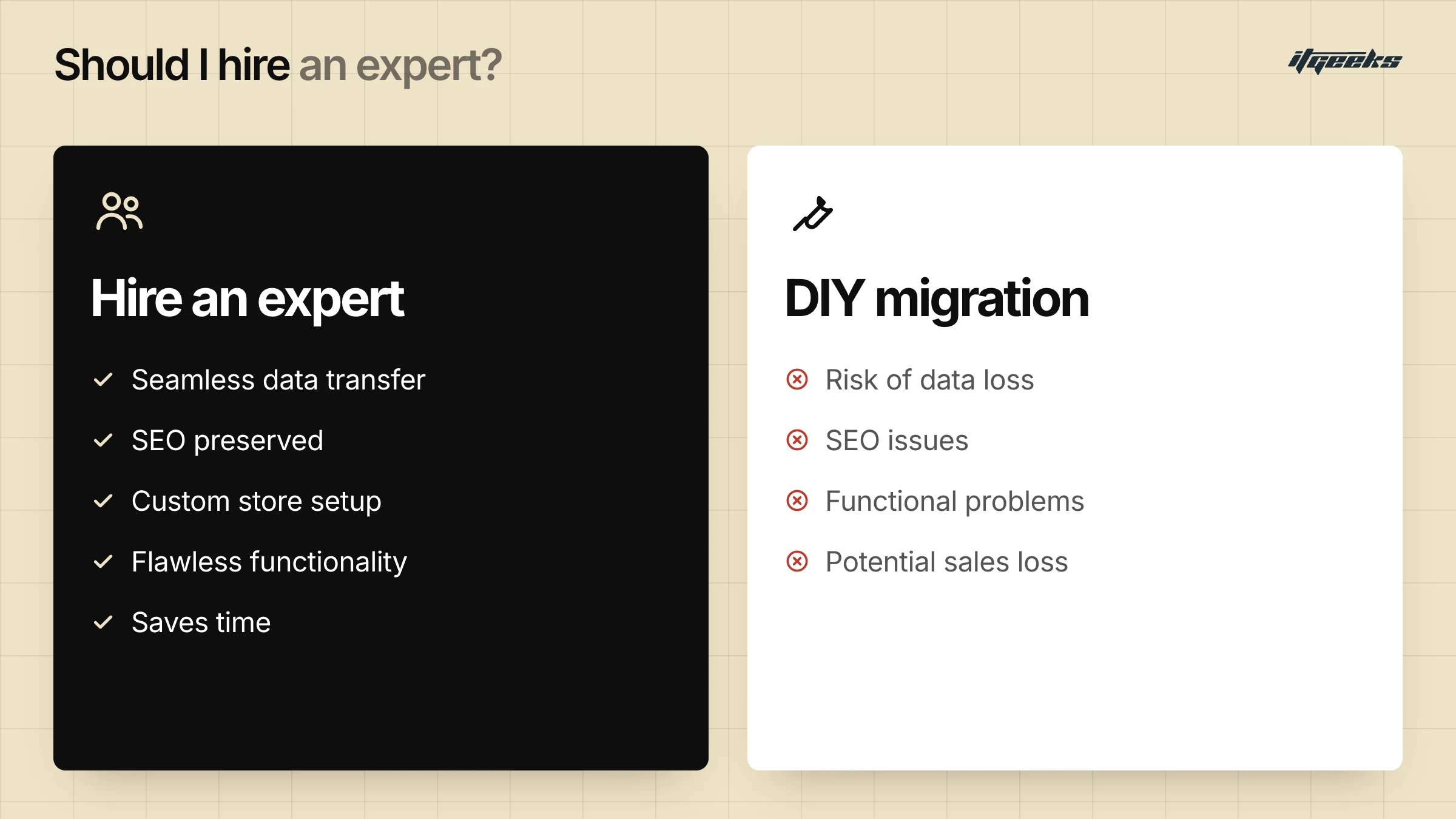
So, you’ve decided to move from Wix to Shopify. Great choice! But before you dive in, let’s talk about something important: Should you do it yourself or get expert help?
Sure, you could spend hours figuring out CSV imports, setting up 301 redirects, and troubleshooting design issues. But let’s be real: one mistake, and you risk losing valuable data, breaking your SEO, or ending up with a half-functional store. That’s where expert help makes all the difference. If you are weighing your options, our guide to choosing the right Shopify migration agency explains what to look for.
Here’s why getting a professional involved can save you time, money, and major headaches:
Seamless Data Transfer: No Missing Products or Orders
Migrating data isn’t just about copying and pasting. It’s about ensuring every product, customer detail, and order history moves over correctly and completely. Experts use tools and strategies to make sure:
Your products, descriptions, images, and categories remain intact.
Customer details and past orders don’t get lost in transition.
Variants, pricing, and stock levels are accurately transferred.
One small mistake in a CSV file? You could lose critical data or end up redoing the entire process.
Preserve SEO & Traffic: Avoid Rankings Disaster!
Imagine launching your Shopify store and realizing that your traffic has tanked because Google can’t find your pages anymore. That’s what happens when SEO isn’t handled properly during migration. Experts ensure:
301 redirects are correctly set up so your old Wix URLs point to the right Shopify pages.
Meta titles, descriptions, and structured data are transferred properly.
Your new Shopify store is optimized for search engines from day one.
SEO mistakes during migration can take months to recover from, and lost traffic means lost sales.
Custom Store Setup: Beyond Just Copy-Pasting Content
Wix and Shopify have different structures, meaning you can’t just move things over as they are. Experts help you:
Pick the right Shopify theme and customize it to match your brand.
Set up an optimized navigation menu for a seamless user experience.
Install and configure essential Shopify apps for features like email marketing, customer reviews, and analytics.
Without proper setup, you might end up with a messy store that confuses customers instead of converting them.
Flawless Functionality: No Broken Checkout or Missing Images!
What’s worse than launching your new store and realizing your checkout isn’t working? Losing customers because your store is full of broken links, missing images, or incorrect shipping settings. Professionals ensure:
Smooth checkout & payment gateway setup so customers don’t abandon their carts.
Responsive design & mobile optimization, since most users shop on their phones.
Bug-free functionality: everything from product filters to contact forms works perfectly.
Would you want to risk losing sales just because of a technical hiccup?
Save Time & Effort: Focus on Growing Your Business
Let’s be honest: migrating a store is time-consuming. Instead of spending weeks troubleshooting issues, you could be focusing on:
Marketing your store and attracting new customers.
Improving your product offerings.
Running promotions and increasing sales.
Hiring an expert means you get a fully functional Shopify store, ready to start selling, without the stress and frustration.
Why Choose ITGeeks as Your Shopify Platinum Partner?
At ITGeeks, we don’t just migrate stores. We help businesses scale, optimize, and thrive on Shopify. Here’s why we’re the perfect Shopify Platinum Partner for your e-commerce journey:
1. Shopify Experts with Proven Experience
We’re not just another agency. We are a Shopify Plus agency and Shopify Platinum Partner with a track record of successfully migrating and building high-performing Shopify stores. Whether you're moving from Wix, WooCommerce, Magento, or BigCommerce, we ensure a seamless transition without data loss or functionality issues. See our Shopify migration services, or the pages for WooCommerce to Shopify and BigCommerce to Shopify migrations.
2. Hassle-Free Migration: Zero Downtime, No Data Loss
Migrating from Wix to Shopify involves more than just moving products. We plan every migration to avoid downtime and data loss, and we ensure:
Complete transfer of products, orders, and customer data
SEO-friendly 301 redirects to maintain search rankings
Smooth integration of payment gateways & shipping settings
Pixel-perfect store design & optimization
With ITGeeks, your migration is not just a transfer. It’s an upgrade.
3. Custom Shopify Store Setup for Maximum Conversions
A generic store won’t cut it in today’s competitive market. We help you:
Choose & customize the right Shopify theme for your brand
Enhance user experience (UX) & site speed for better conversions
Integrate essential Shopify apps for marketing, automation, and sales growth
Optimize product pages & checkout flow to reduce cart abandonment
Our goal? To build you a store that sells more and scales faster.
4. Full SEO & Marketing Support
What’s the point of a great Shopify store if no one finds it? ITGeeks ensures your store is SEO-optimized from day one with:
Keyword-optimized product pages
Proper URL structures & meta tags
SEO-friendly blog & content strategy
Google & Facebook ad integrations for targeted marketing
Your new Shopify store won’t just look good. It’ll rank higher and attract more buyers.
5. Ongoing Support & Shopify Growth Strategy
We don’t just build your store and disappear. ITGeeks offers:
24/7 technical support, because downtime isn’t an option
Performance audits & store optimizations to improve conversions
Marketing strategy consultation to help you scale profitably
App & automation setups for smooth operations
With ITGeeks, you get a long-term Shopify Platinum Partner, not just a service provider.
Wix to Shopify Migration FAQs
Can you transfer a Wix website to Shopify?
Yes, but not with one click. You can move products and customers with CSV exports and imports, or with Shopify’s free Store Migration app for products. Order history needs a third-party app, while your design, pages and blog are rebuilt in Shopify. Plan for redirects so your old URLs keep working.
Is it free to migrate from Wix to Shopify?
Doing it yourself costs time rather than a migration fee: Wix’s CSV exports and Shopify’s product and customer imports are included, and Shopify’s Store Migration app is free. You still pay for your Shopify plan, and third-party apps that move orders may charge. A migration service costs more but reduces the risk of errors.
Will I lose my SEO rankings when I move from Wix to Shopify?
Not if you plan for it. Your URLs will change (Wix uses /product-page/, Shopify uses /products/), so set up 301 redirects from every old URL that has traffic or links, submit your new sitemap, and expect some ranking fluctuation for a few weeks while Google processes the move.
What can’t be migrated from Wix to Shopify automatically?
Wix product reviews and digital products cannot be exported, and your Wix design cannot be carried over, so you rebuild it with a Shopify theme. Pages and blog posts are usually recreated by hand or with a migration tool, and orders need a third-party app.
Let’s Build Something Great on Shopify! Contact us!
Ready to move from Wix to Shopify without risking your data or your rankings? Contact the ITGeeks team or talk to an expert and we will plan your migration with you. If you are comparing website builders, you may also like our Squarespace to Shopify migration guide.