

Short answer: yes, you can move a Squarespace store to Shopify. Export your products from Squarespace as a CSV and import them into Shopify, or use a migration app or a Shopify Partner for larger stores. Page and blog URLs change on Shopify, so set up redirects before you switch your domain to protect your search rankings. Below we cover what moves, the steps, and when to get expert help.
Can I Migrate Squarespace to Shopify?
Absolutely, yes! Just like you can move your store from platforms like WooCommerce or BigCommerce to Shopify, Squarespace to Shopify migration is easy and pretty straightforward once you understand the process.
When you first started your E-commerce journey, you probably wanted something quick and simple, a site that’s easy to set up without a ton of tech know-how. That’s where Squarespace comes in, right? It’s awesome for beginners or very small businesses looking to test things out. Maybe you picked it to test your ideas, see how things would go, and figure out if your expectations matched reality. Squarespace is great for that. It’s user-friendly, looks sleek, and gives you a fast up-and-running site but not an E-commerce store.
And here’s the thing. Now your business is performing, and now you need a store, not a site.
Maybe now you’re selling more products, or you want better E-commerce tools to manage your inventory, reach more customers, or even tweak your store to match your bigger vision. That’s when you realize Squarespace, while amazing for starting out, might not keep up with your scaling operations. You need something more powerful and more flexible, a platform that’s built for E-commerce from the ground up.
Here is the hero of our story. The leading E-commerce platform, Shopify.
Why Migrate from Squarespace to Shopify?
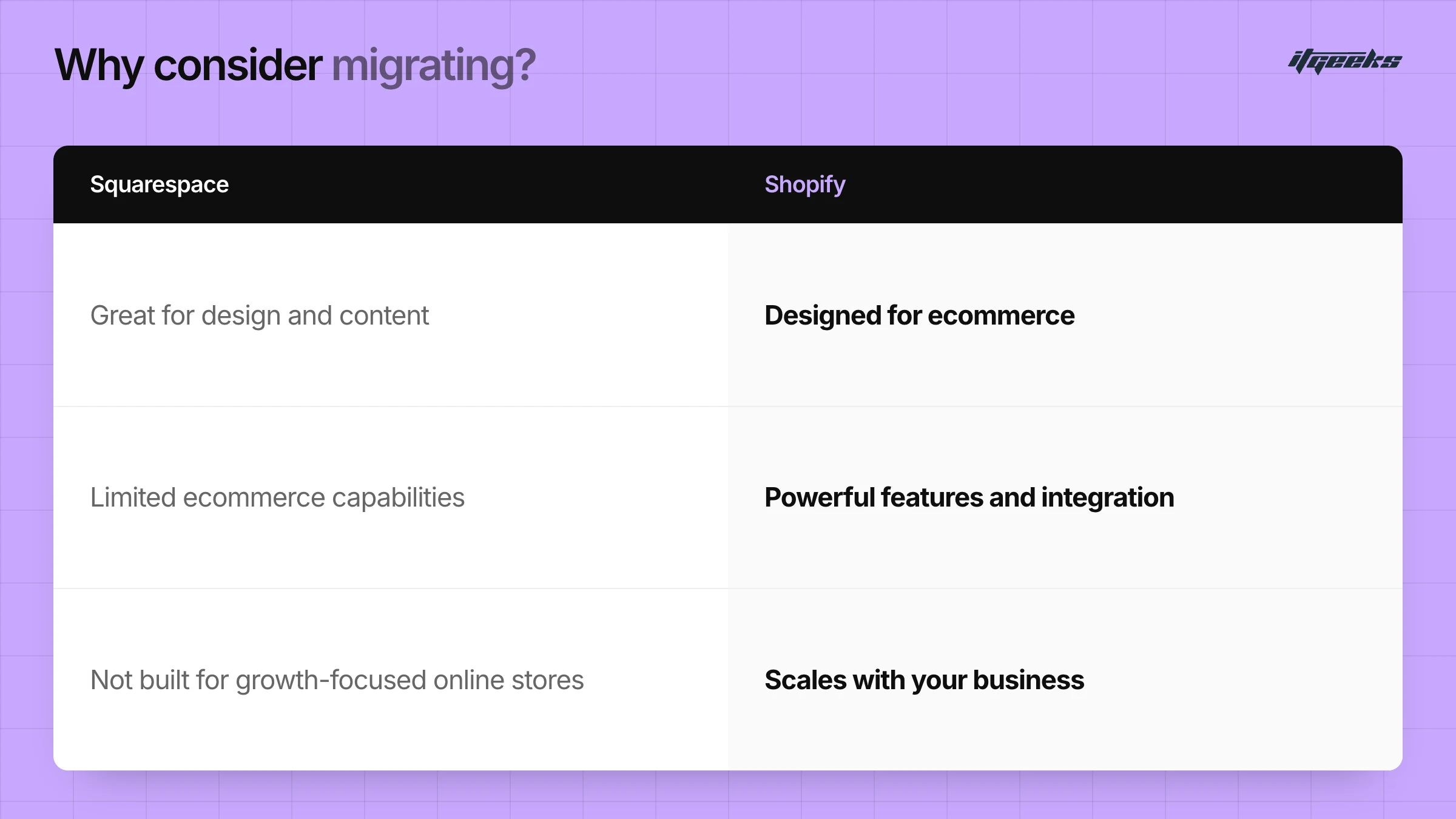
Squarespace is great for a site, a blog, or a portfolio. But not for E-commerce. When your business starts to grow? That’s when you realize that Squarespace is not built for e-commerce.
On the other hand, Shopify is built specifically for E-commerce. Whether you’re selling a few products or running a full-scale online store, Shopify gives you the tools required to grow without restrictions. It’s packed with features that make selling online easier and more efficient.
If you're serious about growing your e-commerce store, choosing the right platform is the first decision that will set you toward success. Shopify isn’t just another e-commerce solution, it’s a leading E-commerce platform designed to help your store scale effortlessly.
Here’s why Shopify stands out from the crowd:
1. More E-commerce Features
Shopify goes beyond just giving you a website. One of its standout features that gives a boost to your sales is abandoned cart recovery, which automatically reminds shoppers to complete their purchase if they leave items in their cart. That means fewer lost sales and more revenue for you without any extra effort.
2. Sell Everywhere (Not Just on Your Website!)
Why limit your sales to just your online store?
Shopify makes it easy to expand and sell on Instagram, Facebook, TikTok, Amazon, eBay, and even in-person with Shopify POS. This multichannel approach means you can reach your customers wherever they prefer to shop. Ultimately giving boost to yur sales.
3. Better Customization features
Your store should reflect your brand identity and not look generic like everyone else’s.
Shopify offers hundreds of beautifully designed themes and thousands of apps that let you add new features, optimize for conversions, and create a truly unique shopping experience
4. More Payment Options
Nothing kills a sale faster than a checkout that doesn’t offer a customer’s preferred payment method. Shopify supports multiple payment gateways, including Shopify Payments, PayPal, Apple Pay, Google Pay, and even buy-now-pay-later services like Klarna and Afterpay.
The easier you make it to pay, the more likely shoppers are to complete their purchase.
5. Stronger Analytics & Inventory Management
Knowledge is power, and Shopify's intuitive dashboard gives you powerful insights into your business. You can track sales trends, monitor where your traffic is coming from, and keep an eye on customer behaviors, all from an easy-to-use dashboard.
Plus, Shopify’s inventory management tools help you keep your product catalog organized.
The Bottom Line? Shopify Grows With You!
Whether you're just starting out or scaling up, Shopify’s powerful features ensure you’re always equipped for success. If you want a platform that helps you sell more, customize better, and manage smarter, Shopify is the way to go.
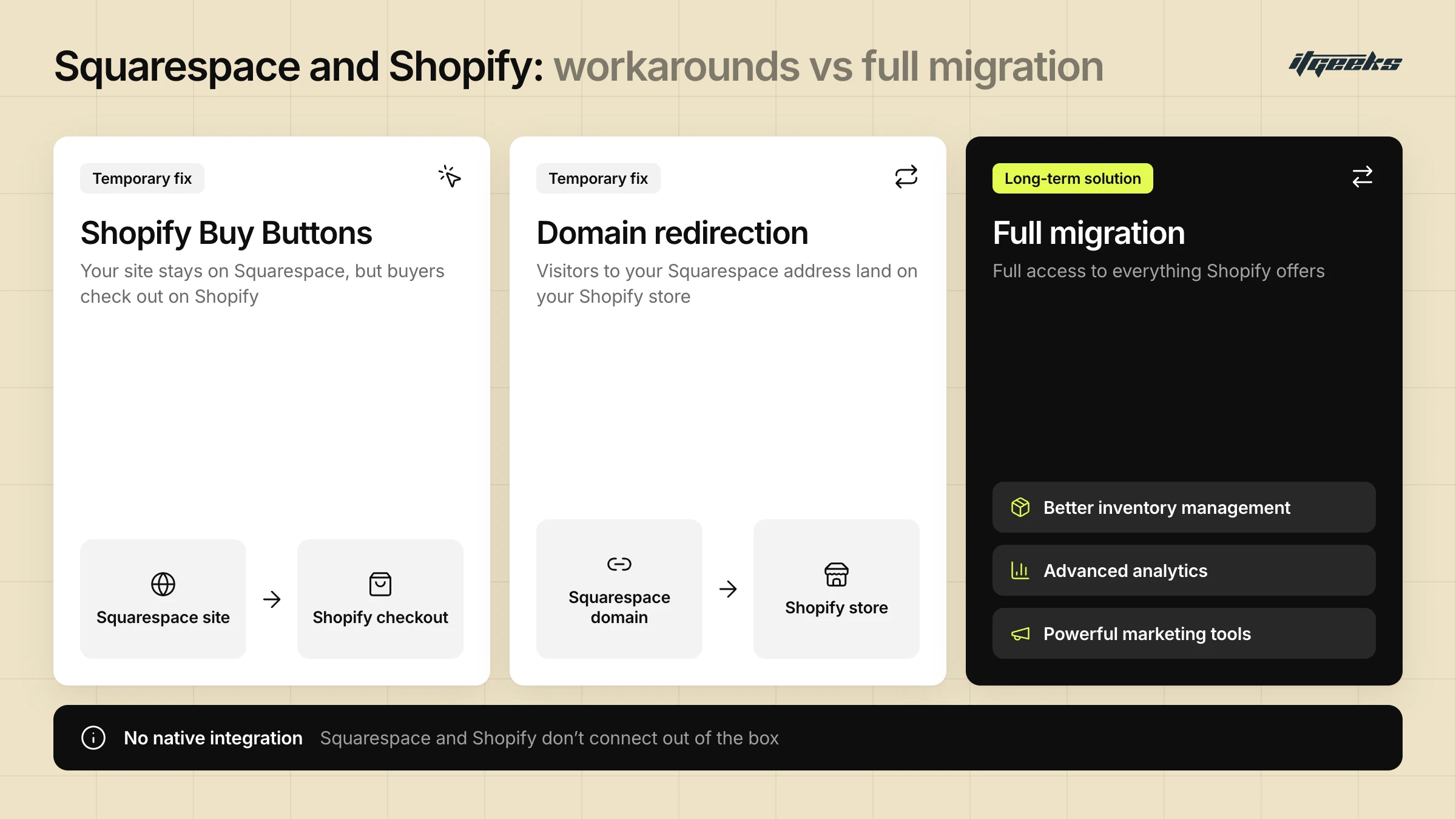
If you’ve started to feel like Squarespace isn’t giving you enough room to grow, that’s a big sign. Here are some situations where moving to Shopify makes sense:
You need better inventory tracking and order management.
You want more automation and marketing tools to help grow your store.
You’re looking for advanced features like multi-channel selling (Instagram, Facebook, Amazon, etc.).
You want more control over the design and functionality of your store.
If you want to scale your business and take e-commerce seriously, Shopify is the way to go. It’s built for E-commerce, packed with features, and designed to grow with you.
if you’re ready to take your store to the next level, migrating to Shopify might be the best move you make. But here`s another question that would surely hit some minds.
Can`t Squarespace Connect to Shopify?
If you're thinking, "Can I just link Squarespace to Shopify instead of fully moving my store? " you're not alone! The short answer?
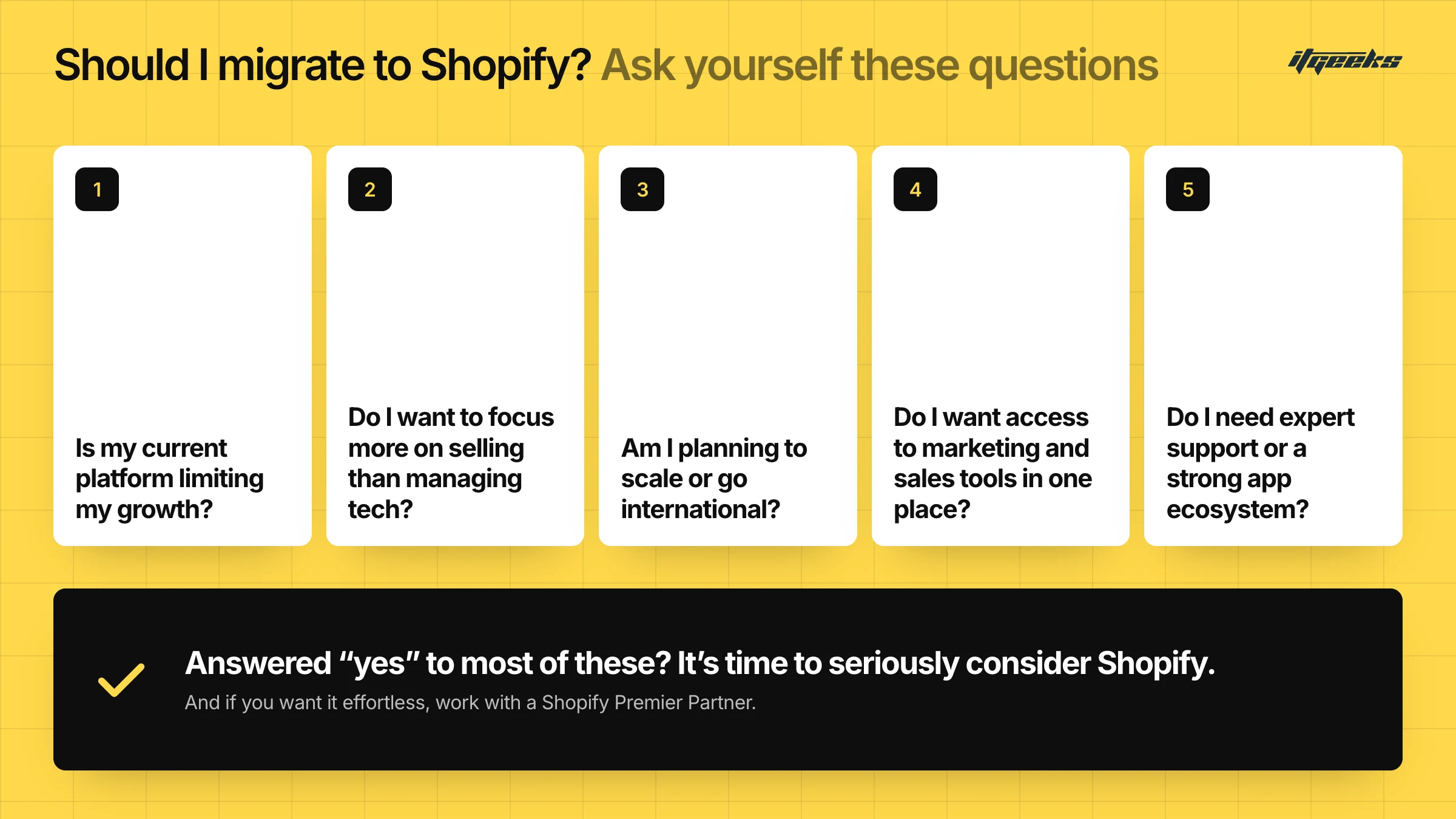
No, Squarespace and Shopify don’t natively integrate. But there are a couple of workarounds if you're not ready for a full migration just yet.
Your Options for Connecting Squarespace and Shopify
Shopify Buy Buttons: This is a simple way to add Shopify’s checkout system to your Squarespace site. You’ll still run your website on Squarespace, but when customers go to buy something, they’ll be directed to Shopify’s checkout.
Domain Redirection: If you’ve already built traffic on your Squarespace site but want to move to Shopify, you can point your Squarespace domain to your new Shopify store. That way, when visitors enter your Squarespace web address, they’ll automatically land on Shopify instead
Buy Buttons are designed for adding Shopify products to a site that isn’t built on Shopify, which is exactly the Squarespace case. You can read how they work in Shopify’s Buy Button help guide. Treat them as a bridge while you plan a full move, not as a permanent setup.
Why Full Migration is a Better Long-Term Solution
These workarounds might be fine as temporary fixes, but if you’re serious about growing your online store, a full migration to Shopify is the better move. By staying on Squarespace and only using parts of Shopify, you're missing out on key E-commerce features like better inventory management, advanced analytics, and powerful marketing tools.
If you want full access to everything Shopify offers and a smoother experience for you and your customers, migrating your entire store is the way to go
What Can You Move from Squarespace to Shopify?
Shopify’s own Squarespace migration guide lists the main data types you can bring across to a new Shopify store:
Products: via a product CSV file or a migration app.
Customers: via a customer CSV file, a migration app or the Customer API.
Historical orders: via a migration app, the Order API or the Transaction API.
Blog posts and pages: via a migration app or Shopify’s blog and page APIs, or by copying and pasting individual pages.
Gift cards and store credit: via an app or the GiftCard API.
Not everything transfers cleanly through a CSV. Shopify notes that some data can’t be migrated this way, and products with a missing variant option fail to import and have to be added manually. Your Squarespace design also doesn’t carry over as a theme, so you’ll rebuild the look of your store on a Shopify theme.
One more thing to plan for: page URLs usually change on Shopify. In Shopify’s own example, a shipping policy page moves from /policies/shipping-policy to /pages/shipping-policy, so old links break unless you redirect them.
Manual Migration vs. Migration Service: Which One Is Right for You?
Squarespace to Shopify Migration is an exciting step toward scaling your business, but the process itself feels overwhelming and is complex. The way you handle the migration can significantly impact how smooth and stress-free the transition is. You have two main options: manual migration or using a professional migration service. Let’s explore both approaches so you can choose the best fit for your business.
Manual Migration: The DIY Approach
If you have a small number of products, you might consider migrating everything manually. This involves:
Exporting products, blog posts, and customer data from Squarespace to Shopify.
Formatting and adjusting files to match Shopify’s system.
Uploading and configuring content on your new Shopify store.
While this method is free, it comes with significant challenges:
Challenges of Manual Migration:
Time-Consuming: You’ll need to manually transfer and format data, which can take hours or even days, depending on your store size
Risk of Errors: Missing product details, incorrect formatting, or broken links lead to a poor customer experience.
SEO and Data Loss: Improper migration results in a drop in search rankings and lost traffic.
Limited Support: If issues arise, you’re on your own unless you hire a Shopify expert.
Manual migration is best for very small stores with just a few products and minimal content. However, as your store grows, the process becomes increasingly complex and prone to errors.
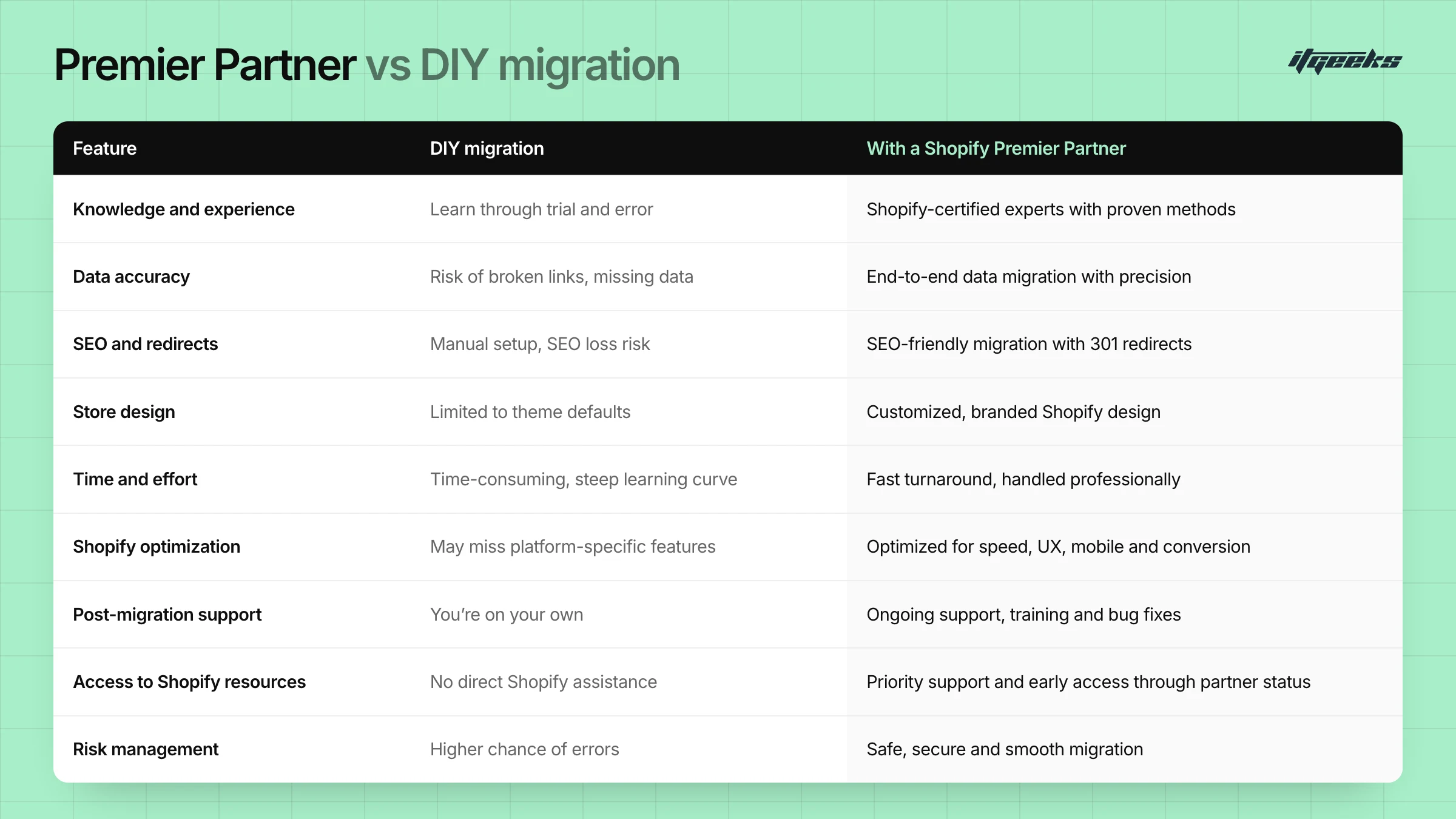
Migration Service: A Hassle-Free Solution
For a faster, error-free transition, hiring a professional migration service is a great choice. Instead of handling everything yourself, experts take care of the entire process, ensuring that all your store’s content, product listings, customer data, and even SEO settings are seamlessly transferred to Shopify.
Why Choose a Migration Service?
Saves Time: No need to manually transfer files or troubleshoot issues. Rather, focus on your business.
Minimizes Data Loss: Ensures product descriptions, images, and customer information remain intact
Preserves SEO & Traffic: Professionals optimize your store’s SEO settings to maintain rankings.
Stress-Free Experience: The entire migration is handled by experts, reducing the risk of mistakes.
With a migration service, you don’t just move your store; you optimize it for Shopify’s powerful E-commerce features, ensuring your business is set up for long-term growth.
Which One Should You Choose?
Still unsure which method is right for you? Here’s a simple breakdown:
Manual Migration: This is Best for tiny stores with only a few products, limited content, and minimal customization.
Migration Service: Ideal for larger stores, businesses that rely on SEO, or anyone who wants a hassle-free, optimized transition.
Hiring a Shopify Expert: This is a must if your store has custom integrations, complex features, or a high volume of data that needs to be transferred properly.
Moving from Squarespace to Shopify is a big step toward growing your business, but how you do it matters. If you want a quick, efficient, and error-free migration, a professional service is your best bet. On the other hand, if you’re comfortable handling technical details and have a very small store, a manual migration might be a cost-effective option.
Squarespace to Shopify Migration Steps
Whether you do it yourself or work with a partner, the sequence is the same. This follows the order in Shopify’s migration guide.
Decide what to migrate. Products, customers, order history, blog posts, pages and gift cards. Small catalogs can be copied by hand, while larger ones need a CSV or a migration app.
Export and edit your product file. Download the product CSV from Squarespace, then edit it to match Shopify’s product CSV template.
Import products first. In Shopify admin, go to Products and choose Import. Shopify’s product CSV can’t exceed 15 MB, so split large files. Avoid re-sorting the file in a spreadsheet editor, because that can break your image links. See Shopify’s product import guide.
Import customers, then historical orders. Importing in this order keeps orders linked to the right products and customers. Switch off staff order notifications first, or the import triggers new-order emails.
Check your catalog. Review product details, collections and inventory.
Set up your theme, shipping, taxes and payments. Configure shipping zones and rates, tax settings and a payment provider.
Place test orders. Run a few end-to-end orders before you go live.
Add redirects, then connect your domain. Set up URL redirects before the domain switch. If you transfer the domain, disconnect it from Squarespace first or you may hit SSL certificate errors.
If your store has custom features, many variants or a lot of order history, a Shopify migration service takes this off your plate. Our complete guide to migrating to Shopify covers the wider process in more detail.
How to Keep Your SEO When Moving from Squarespace to Shopify
To keep your rankings, redirect every old Squarespace URL that has traffic or links to its closest equivalent on Shopify. Google recommends permanent server-side redirects (HTTP 301 or 308) for this, because they tell search engines the new page replaces the old one.
Here is how to do it in Shopify:
List your old URLs first. Crawl or export your Squarespace pages, products and blog posts before you switch, and map each one to its new Shopify URL.
Use Shopify’s URL redirects tool. In the admin, go to Content, then Menus, then URL redirects. You can add redirects one by one or import them from a CSV. Standard stores can hold up to 100,000 redirects and Plus stores up to 20,000,000. Details are in Shopify’s URL redirect guide.
Know the limits. A redirect only works from a URL that no longer loads a page. Some paths, including
/products,/collectionsand/cart, can’t be redirected.Carry over titles, descriptions and alt text. Copy page titles, meta descriptions and image alt text into the matching Shopify fields so each page keeps its search signals.
Test after launch. Click through your most important old URLs and confirm each reaches the right new page.
For a deeper walkthrough, read how to maintain SEO rankings during a Shopify migration.
Squarespace to Shopify Migration FAQs
Will I lose my SEO rankings if I move from Squarespace to Shopify?
Not if you plan for it. Your URLs will change, so map each old URL to a new one and add redirects in Shopify before you switch your domain. Then check that your most important pages redirect correctly. Rankings can still move for a while after any platform change, so monitor them in Google Search Console.
Can I keep my domain when I move from Squarespace to Shopify?
Yes. In Shopify you can connect a domain you already own or buy a new one. If you transfer your existing domain, disconnect it from Squarespace first, as Shopify warns that leaving it connected can cause SSL certificate errors. Set up your redirects before the switch so old links still work.
Can I use Shopify checkout on my Squarespace site?
Not through a native integration. The workaround is Shopify’s Buy Button sales channel, which adds products from your Shopify store to a non-Shopify website. It works as a stopgap, but a full migration gives you Shopify’s complete e-commerce toolset.
Can I migrate my Squarespace orders and customers to Shopify?
Yes. Customers can be imported with a CSV, a migration app or the Customer API. Historical orders need a migration app or the Order or Transaction API. Import products first, then customers, then orders, so each order links to the right records.
Why Migrate with ITGeeks?
Squarespace to Shopify migration is a big step, and choosing the right team to handle it makes all the difference. That’s where ITGeeks comes in. As a Shopify Platinum Partner, we’ve successfully migrated countless stores to Shopify, helping businesses of all sizes seamlessly transition without losing valuable data, SEO rankings, or sales.
Why Trust ITGeeks for Your Migration?
Expertise You Can Rely On
With years of experience in Shopify store development and migrations, ITGeeks knows exactly how to move your data without errors. Whether it’s products, orders, customer information, or blog content, we ensure everything is transferred accurately and efficiently.
Seamless & Hassle-Free Transition
Worried about downtime or broken links? Relax! We handle everything from exporting data to setting up your Shopify store so you can focus on running your business without interruptions.
SEO Preservation
A common fear when switching platforms is losing search engine rankings. ITGeeks ensures that your SEO settings, redirects, and metadata are properly migrated so your store retains its online visibility and traffic.
Customization & Store Optimization
Beyond migration, we fine-tune your new Shopify store with custom themes, integrations, and E-commerce enhancements to match your brand’s vision and improve user experience.
Ongoing Support & Assistance
Even after migration, we’re here to help! Our team provides post-migration support to ensure your Shopify store runs smoothly, helping with tweaks, training, and troubleshooting.
Migrating to Shopify is an opportunity to grow and scale your business, and ITGeeks makes the process easy, stress-free, and optimized for success.
Ready to migrate? Let’s make it happen!
Ready to talk through your move? Learn more about our Shopify migration services, see how to choose a Shopify migration agency, compare options in Shopify vs. other e-commerce platforms, or contact our team. Moving from another builder? Our guide to moving from Wix to Shopify follows a similar path.